Add Actions
Adding a step starts on the canvas: hover the End node and click the +, or right-click and choose Add Step. Either opens the picker where you are pointing.
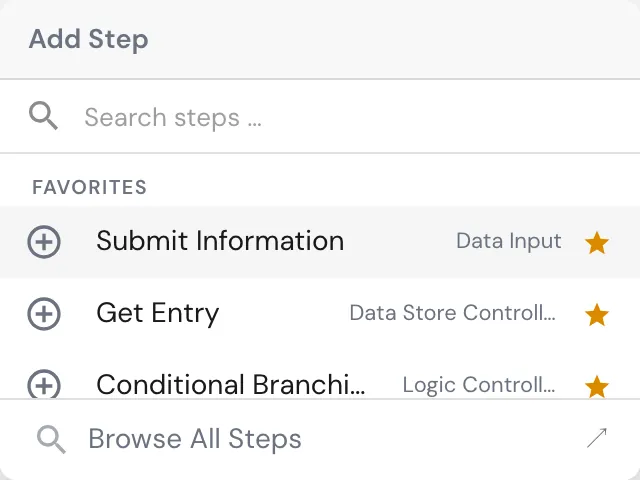
Type a few letters of what the step should do and pick from the matches. Your favorites are offered first, so the actions you use in every process are one keystroke away.
Browse All Steps opens the full catalogue.
The catalogue
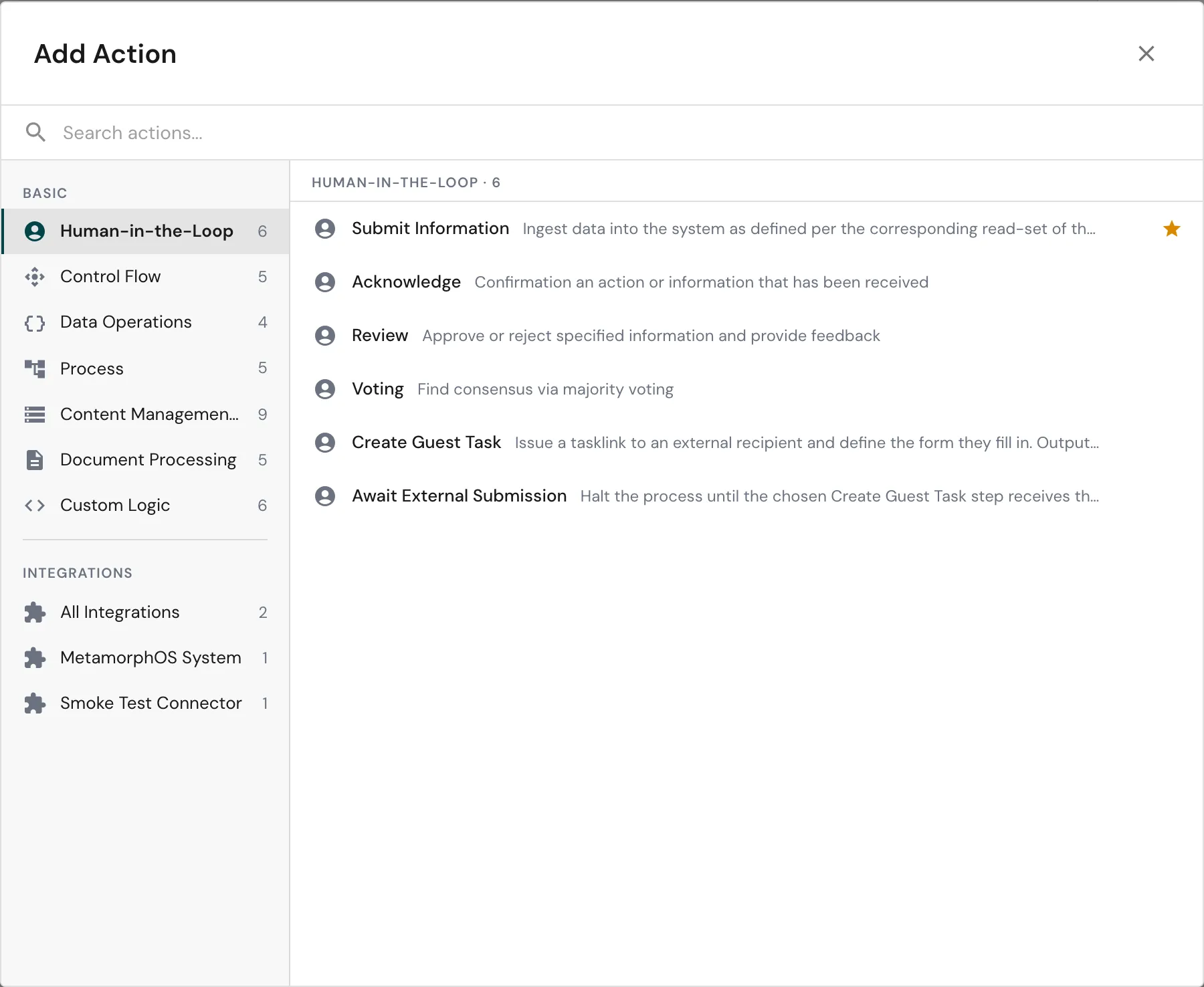
Actions are organized into categories, listed down the left. The number beside a category is how many actions it holds.
Basic actions are the platform’s own:
| Category | What it holds |
|---|---|
| Human-in-the-Loop | Input and decisions via user tasks |
| Control Flow | Defines the process behavior |
| Data Operations | Data manipulation steps |
| Process | Spawn and interact with other processes |
| Content Management System | Store and retrieve data in the CMS |
| Document Processing | Generate, merge, and extract data from documents |
| Custom Logic | Execute custom scripts and transformations |
Integrations lists every connector in the workspace, each with the calls it exposes. All Integrations shows them together. See Integrations.
If you are looking for a specific action, use the full text search at the top: it searches every category at once.
Click the star beside an action to add it to your favorites, so it appears at the top of the picker next time.