Add an Agent
Not every actor is a person. An agent is a non-human actor - an AI agent, a bot, or an external system - that takes part in your processes. metamorphOS treats agents and people as equal actors: an agent acts through its own account and is governed by the same authorizations as a user.
An agent gets its identity from an application with an API key. Adding one is an admin task.
1. Register the application
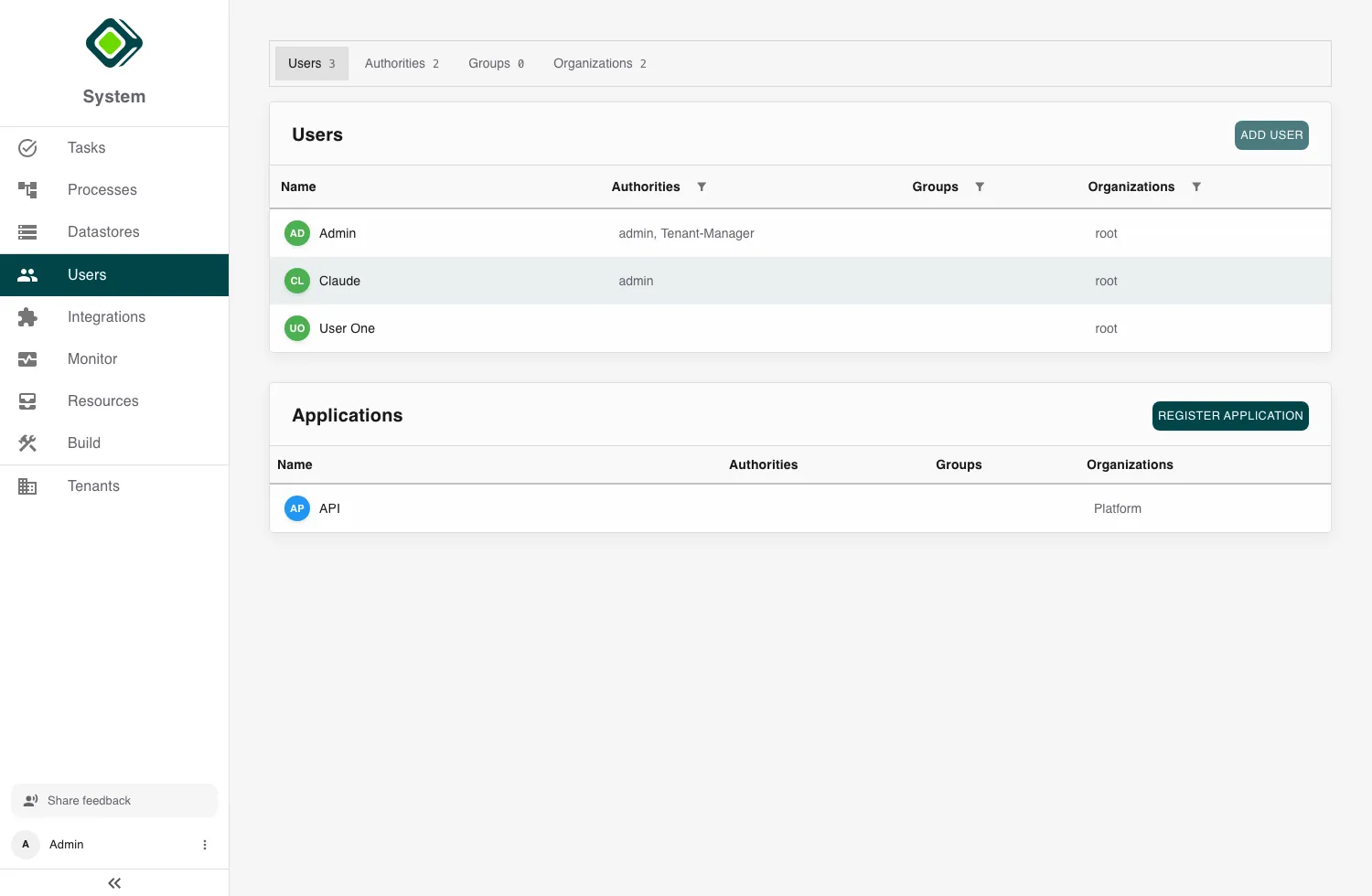
Open Users, and in the Applications section click Register Application. Give it a clear name (for example Invoice Bot or Order Sync) - this is the agent’s identity in the workspace.
2. Copy the API key
Open the application and copy its API key. The agent sends this key to authenticate as itself when it calls metamorphOS.
The API key is a secret. Store it securely, and regenerate it if it’s ever exposed.
3. Give your agent its prompt
This is the one instruction your agent needs. It points the agent at the API reference and hands it its identity - your tenant ID and the API key from step 2 as the bearer token:
You are a general task worker for metamorphOS. Check out how at
app.metamorphos.io/api/v1/docs. You work in tenant <your tenant ID> with
bearer <your API key>.
With that, the agent learns the API at app.metamorphos.io/api/v1/docs and
starts and advances processes on its own. Because it’s a first-class actor,
every action is attributed to it, just like a person’s - and it can be the
identity that inbound webhook
deliveries act as.
The bearer is the application’s API key, so keep it secret. An agent can only do what its application is authorized for - grant it authorities, groups, and organizations just as you would a person (see Setup Authorizations).
That completes the getting-started tour. From here, explore Using metamorphOS for the day-to-day areas, or the Reference Guide for the concepts behind it.