Actors
Actors is where you manage everyone and everything that reaches the workspace: the people, the non-human agents that talk to metamorphOS through the API, and the access both of them hold.
Actors is an admin area, opened by the User Management platform permission. It has three screens.
Users
The people with access to this workspace. Each row shows the Authorities, Groups and Organizations they hold, and each column filters.
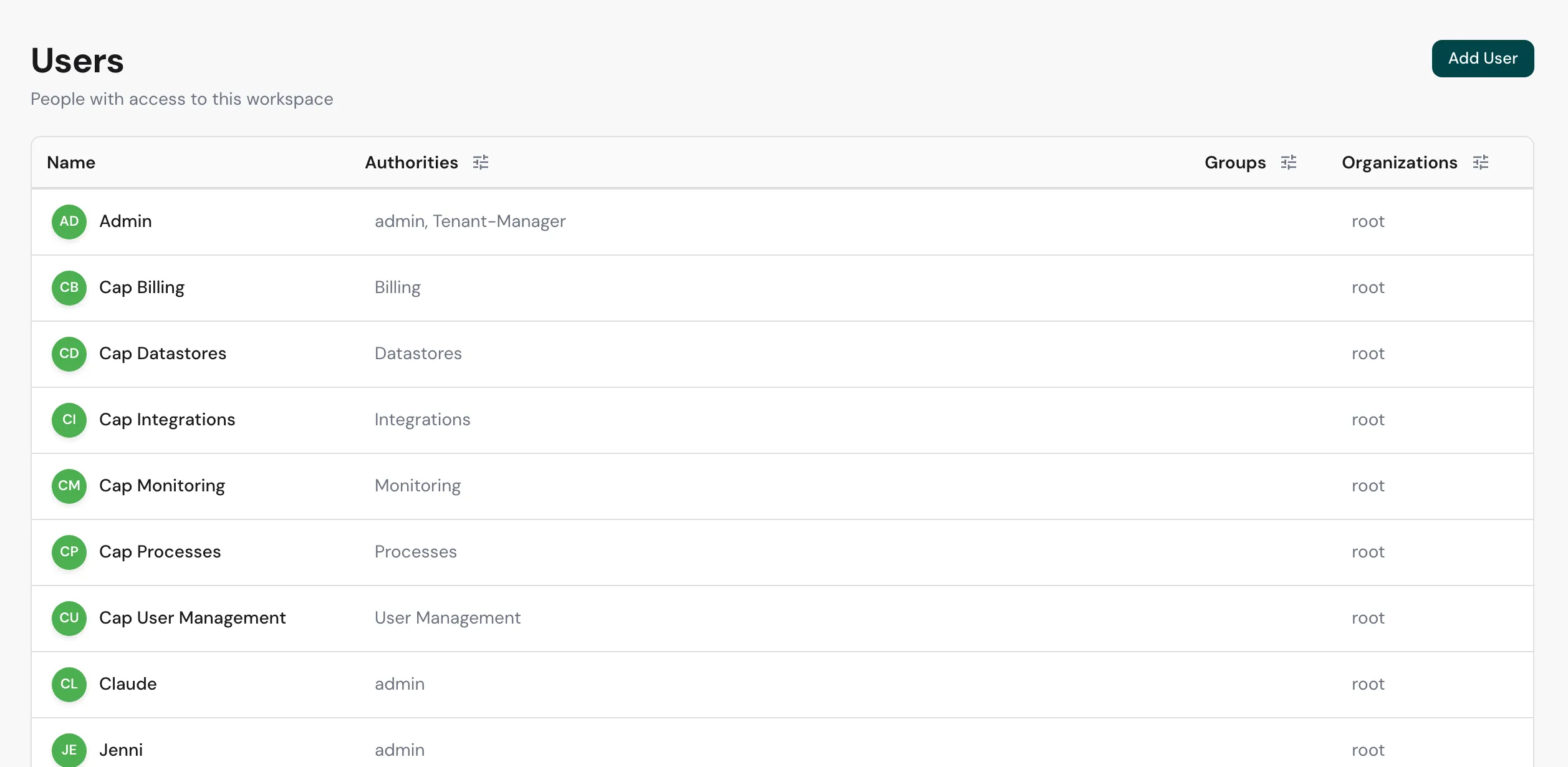
Add User invites someone; a person who hasn’t accepted yet shows a pending chip. Open a user to edit the authorities, groups and organizations they hold, view their history and activity, reset their password, or deactivate the account.
Guests, external people who reached a task through a link rather than an account, are hidden here by default. Invite as member promotes a guest into a full user.
Agents
Application actors acting on behalf of the tenant: the integrations and outside systems that call metamorphOS without a person at the keyboard.
Register agent creates one. An agent has an API key, a secret you can copy and regenerate, and holds authorities exactly as a person does, so a process can route a step to it.
An agent’s API key is how outside systems authenticate to metamorphOS - for example to call its API or deliver to a webhook. Treat it like any secret; regenerate it if it’s exposed. See Inbound Webhooks.
Permissions
Authorities, groups and organizations: the access primitives themselves, each on its own tab with a count, each row listing the holding actors so you can see who has what without reading down a table of people.
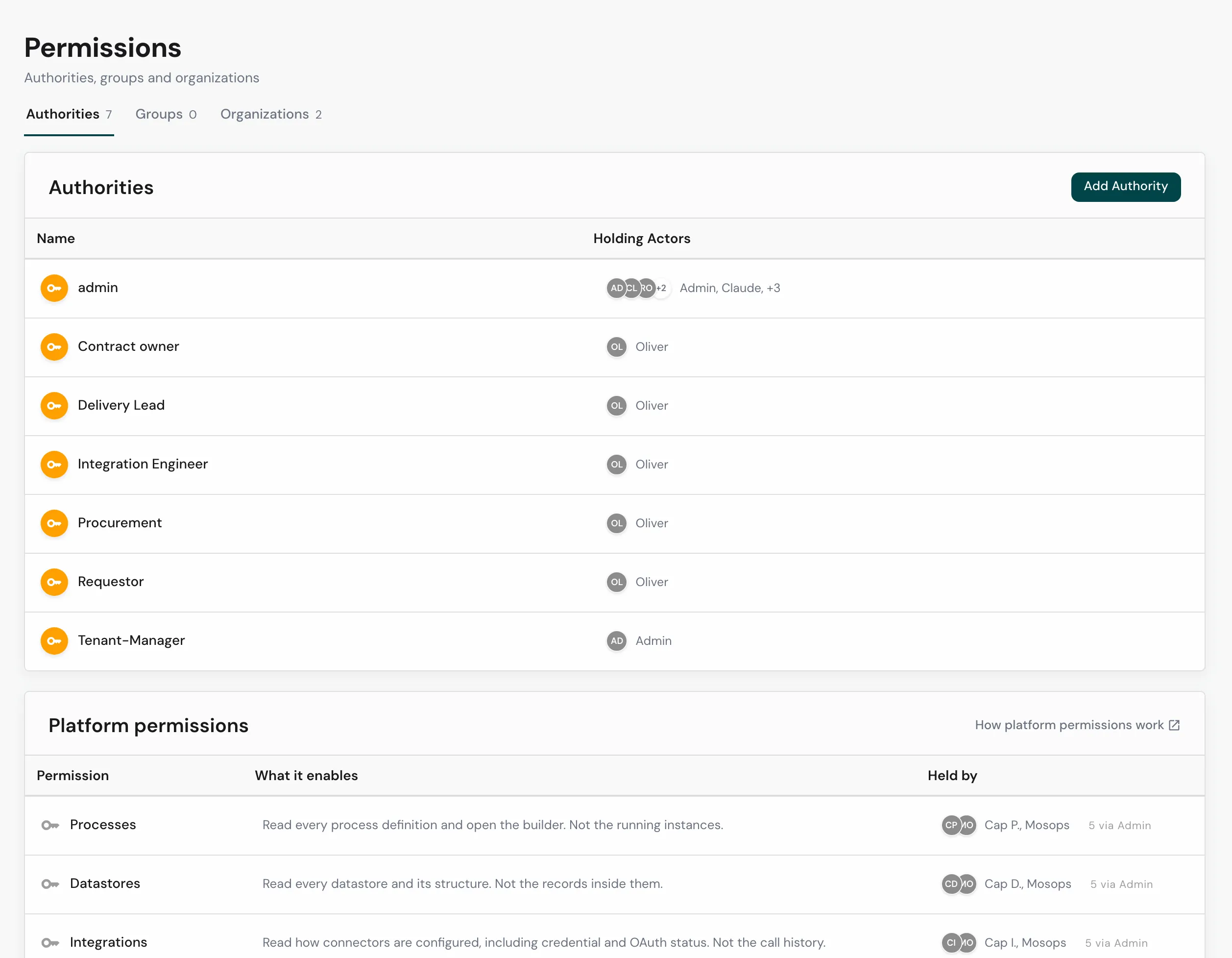
- Authorities - named permissions, like
adminorProcurement, that a process’s roles are filled from. Add Authority creates one. - Groups - collections of users for assignment and routing.
- Organizations - organizational units users belong to.
Below them, the Platform permissions card lists the six workspace-wide capabilities, what each one enables, and who holds it - including who holds it by way of Admin. See Platform Permissions.
Together these are how access is expressed: an actor holds authorities, belongs to groups and organizations, and processes use those to decide who may start, view, or act on what. See Roles, Users, Authorizations for the model, and grant the admin authority sparingly - see The Admin Role.
Related
- Platform Permissions - the six workspace-wide capabilities and what each opens.
- Roles, Users, Authorizations - the access model behind this screen.
- The Admin Role - what Admin unlocks, and why to grant it carefully.
- Integrations - where agent API keys are used.