Task Exceptions
A task has two outcomes. Usually you submit it. Sometimes you can’t: the instruction contradicts itself, the information you’d need doesn’t exist, or something outside the process blocks you - a vendor withdraws a quote, a document never arrives.
For those cases a task can be reported as not completable. The step fails with your reason attached, and the process decides what happens next: its error path takes over if the step has one, otherwise the instance stops with an error. Either way the task leaves your inbox and nothing is submitted in its place.
Report a task only when it genuinely can’t be carried out. A task that is merely ambiguous but has a defensible reading is better submitted, with the assumption noted in the form. A plausible-looking guess is the worse outcome: it commits wrong data and the step counts as done.
Reporting a task
- Open the task and click About this task at the top of Your input.
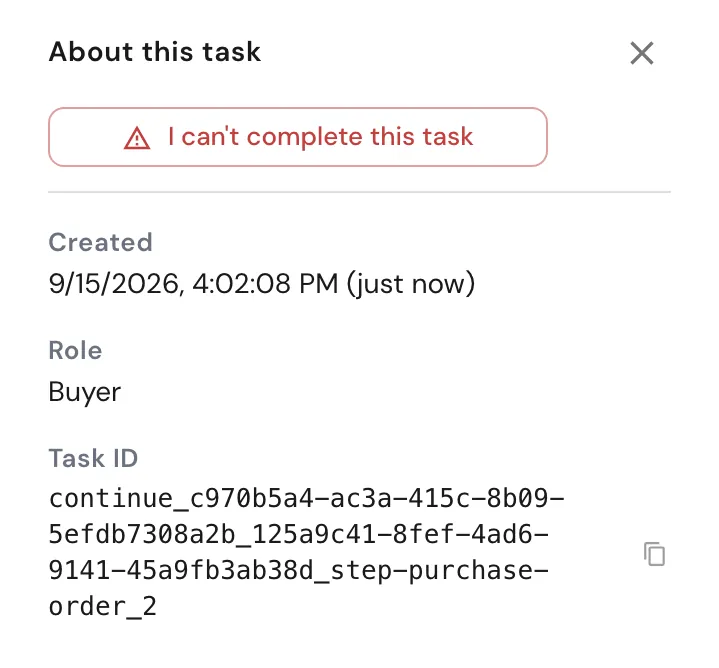
- In the sidebar, click I can’t complete this task.
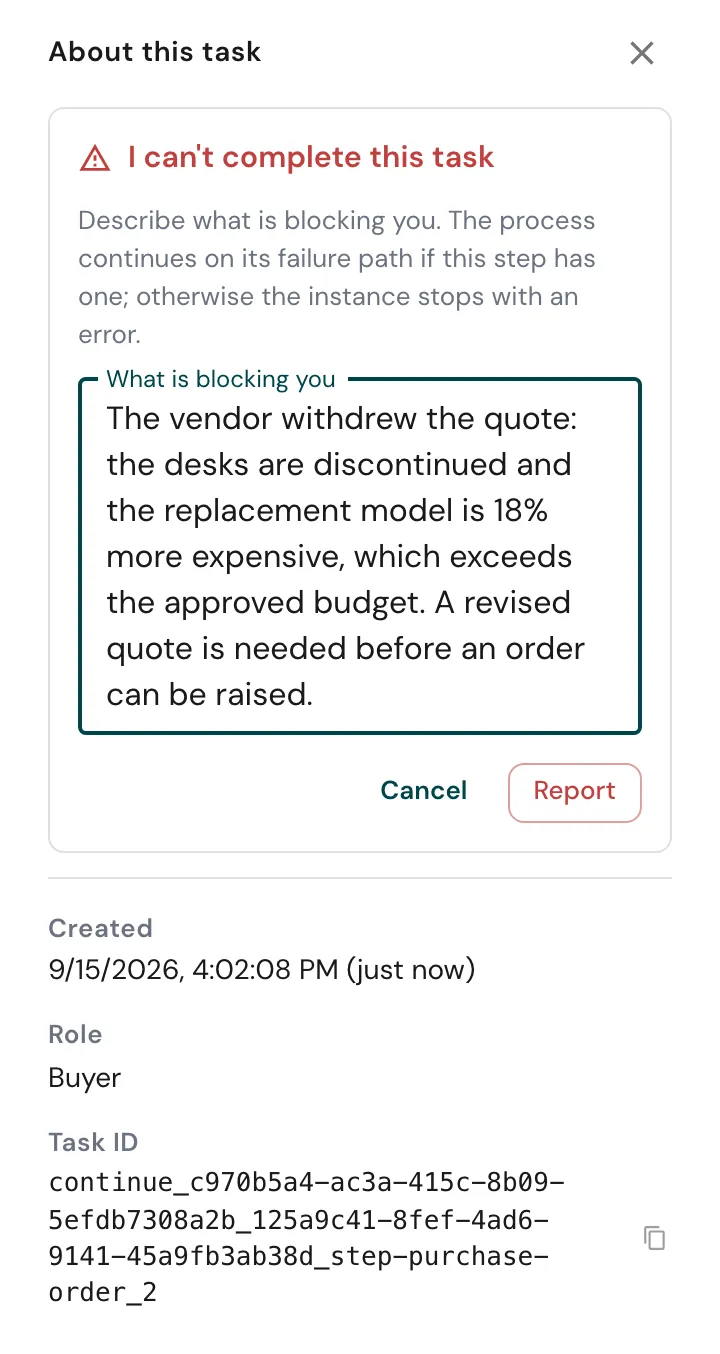
- Under What is blocking you, describe what you tried and what is missing. This text is what the next person reads, so be specific.
- Click Report. metamorphOS confirms Reported. The task has left your inbox. and returns you to the Task Inbox.
Cancel closes the form without reporting. The sidebar also shows when the task was created, its Role and its Task ID.
Reporting is not cancelling. The instance keeps running unless the step has no error path, and even then it stops as Error with your reason on record, not as Cancelled. To end an instance outright, use Cancel Instance on the instance view.
Only tasks that belong to a running step can be reported. A form that starts a new instance has nothing to fail yet.
What happens next
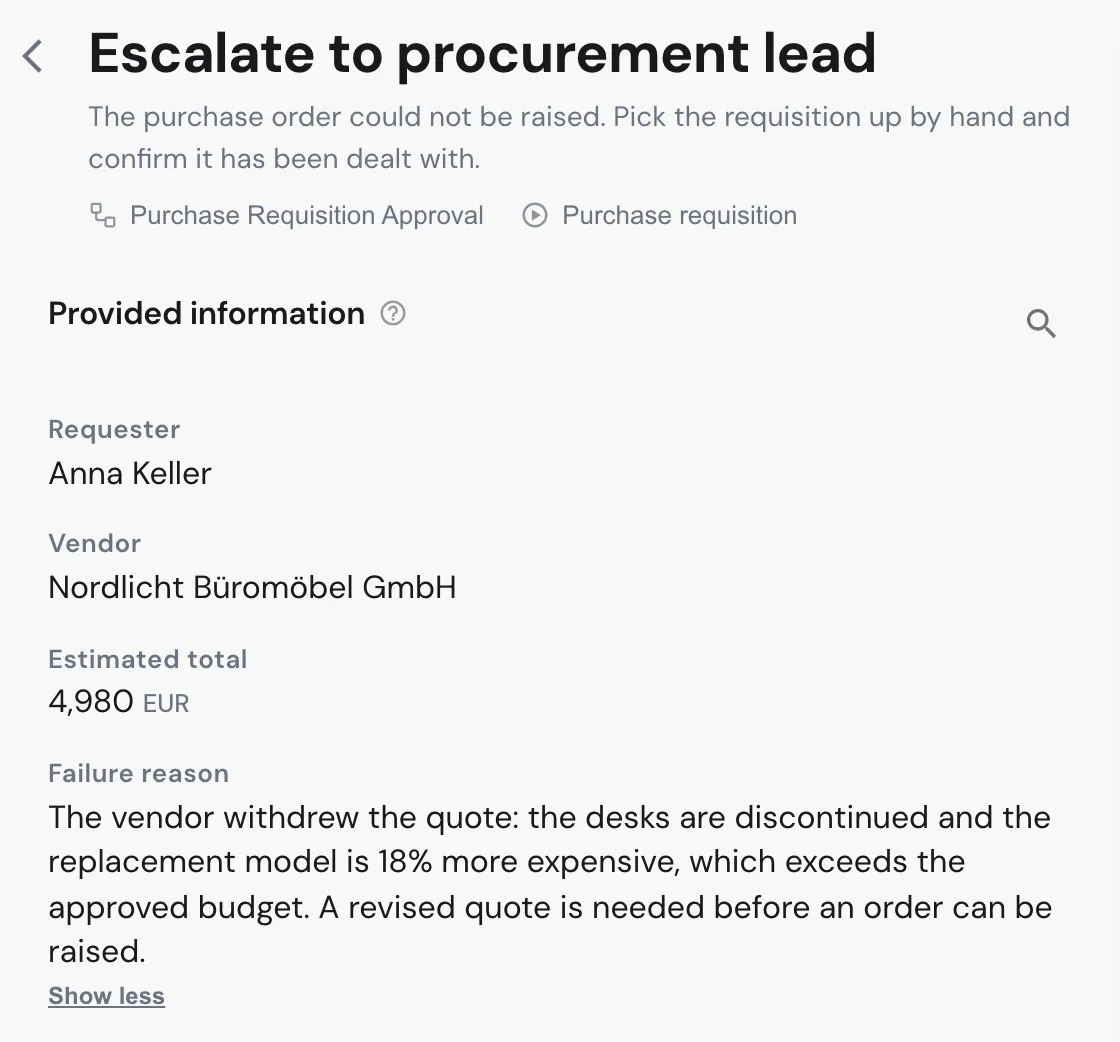
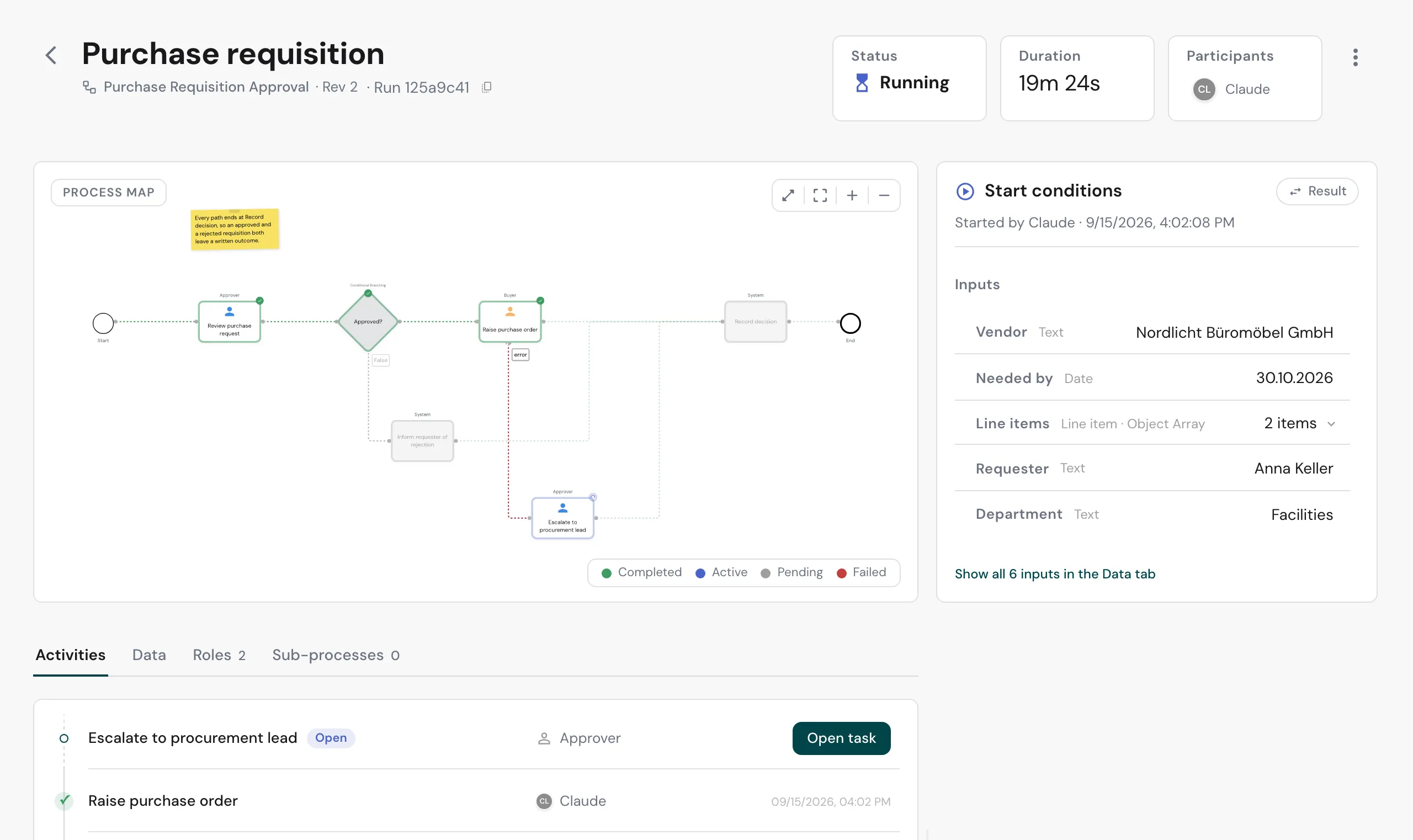
The step has an error path. The process continues down it. If that path leads to a human task and the builder put the reason into the task’s Context, the reason appears under Provided information. In the example, the buyer reported the purchase order as not completable, and the procurement lead now sees why.
The instance stays Running. On its process map the failed step is done and the error branch is the one that was walked; the handling task is the open activity.
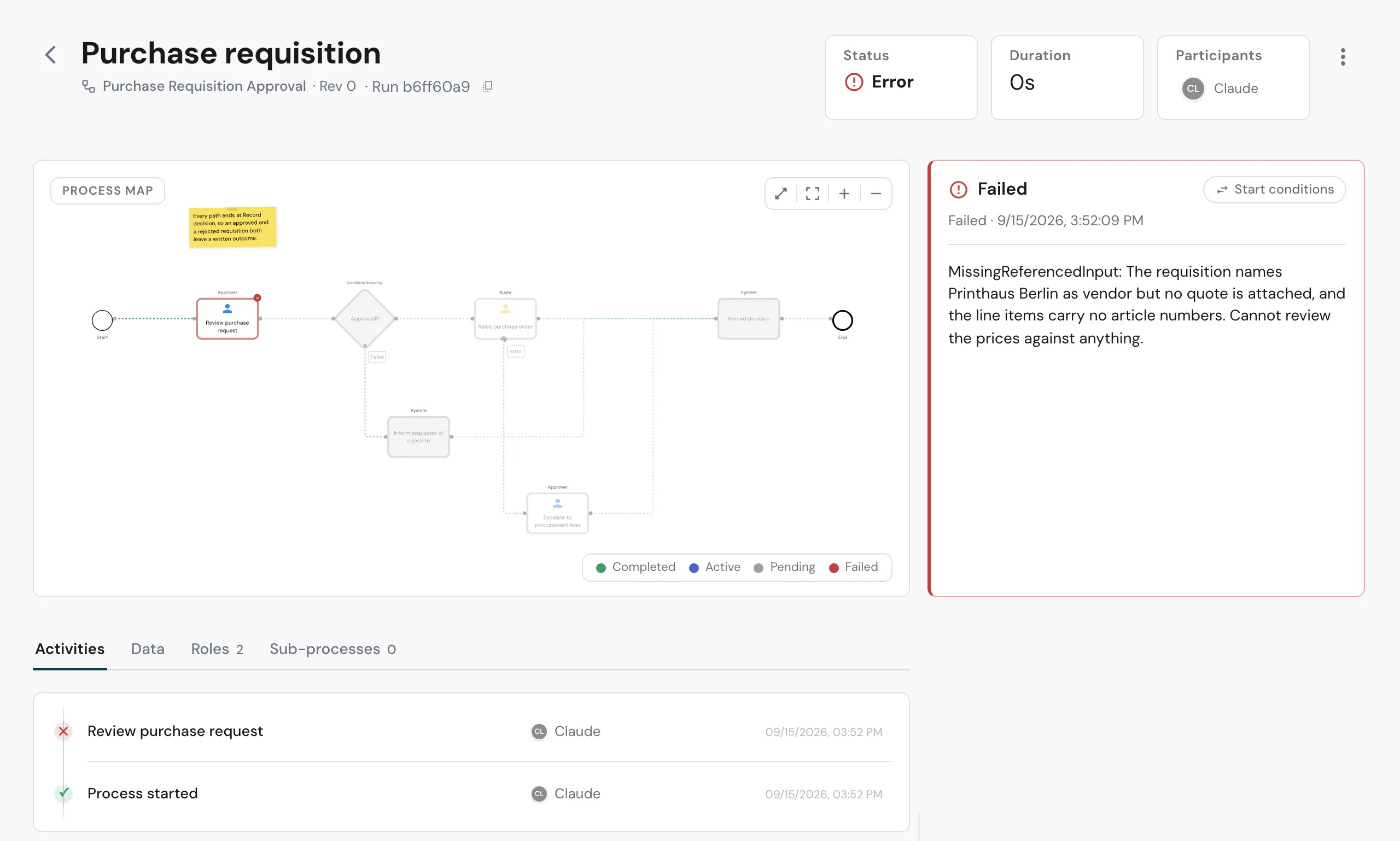
The step has no error path. The instance stops with the status Error. The failed step is marked red on the map, and the Failed panel shows the reason. Admins find such instances in Monitor; everyone who can see the process finds them in its instance list.
Agents
Agents report a task the same way, through the API: alongside the call that
submits a task there is one that raises an exception on it, taking a short
name for the failure and the reason. The name is recorded as given and shown
on the failed instance (the example above was raised by an agent as
MissingReferencedInput); the process reacts to the failure, not to the name.
A task reported from the dashboard carries the name TaskNotCompletable.
Whoever may submit a task may report it. See Add an Agent for how an agent gets its identity and finds the API reference.
Related
- Error Handling (Builder) - giving a step an error path and choosing where the reason is written.
- Error Handling - the concept behind error paths.
- Tasks - the Task Inbox and submitting tasks.
- Process Instance View - reading a failed or running instance.