Integrations
Integrations let metamorphOS talk to the outside world.
A connector packages everything needed to reach one external service: the calls it can make (API Calls) and the events it can receive (Webhooks). Once a connector is deployed and connected, your processes can call its functions like any other step.
There are two ways to get a connector:
- Marketplace - activate a pre-built connector for a common service.
- Custom - build your own for a proprietary or in-house API.
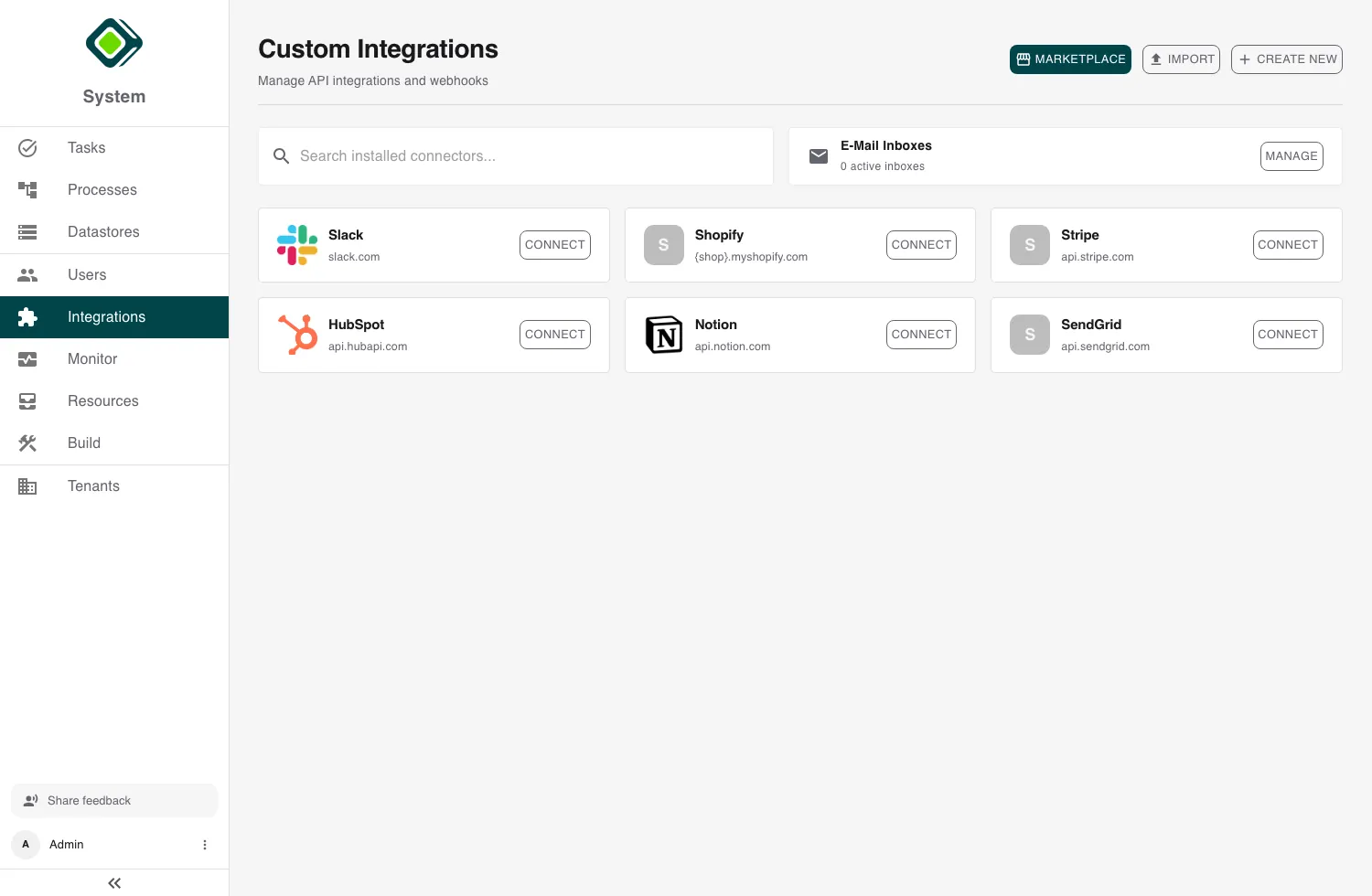
Managing integrations is an admin capability. You’ll find them under Integrations in the dashboard. Standard users don’t configure connectors - they just use the process steps an admin has wired up.
Key concepts
A few terms recur across every guide in this section:
- Connector - the reusable definition of an integration: its base URL, how it authenticates, and the API calls and webhooks it exposes.
- Account (credential) - one authenticated identity on a connector. A connector can hold several accounts - for example a production and a staging account, or one per customer - each with its own secret and settings. One account is the default.
- Secret - the sensitive value behind an account (an API key, a password, OAuth tokens). Secrets are write-only: you enter them once, metamorphOS stores them in its secret manager, and they are never shown again.
The connector lifecycle
Whether you install or build a connector, it follows the same path:
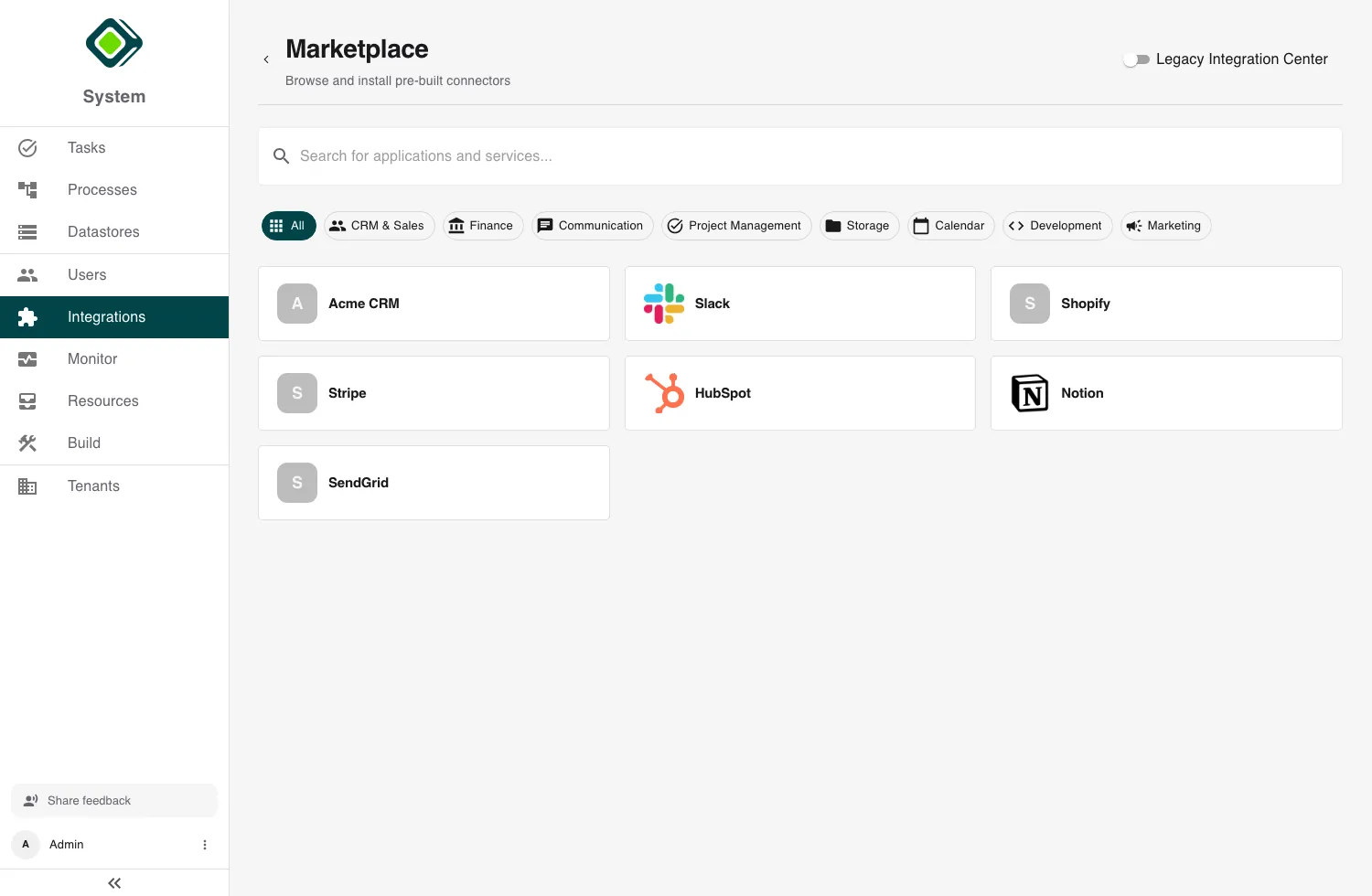
- Create - add it from the marketplace, or build it in the connector editor.
- Save - a new connector starts as a Draft.
- Deploy - publish the draft so its functions become callable.
- Connect - add an account and authenticate it.
A connector’s detail page shows where it is: Draft, Connected,
Not connected, or Error.
In this section
Marketplace Integrations Browse and activate pre-built connectors, and publish your own.
Building Custom Connectors Define a connector from scratch: base URL, authentication, API calls.
Authentication & Credentials Auth types, the OAuth connect flow, and managing multiple accounts.
Inbound Webhooks Receive provider events and use them to trigger processes.
Using Integrations in Processes Add a connector call to a process and choose which account it acts as.
Troubleshooting Fix the common connector, credential, OAuth, and webhook problems.
The connector register
Every connector we ship, with the provider that operates it, what it is for, which categories of data pass through it, and how it authenticates. Use it as a catalog to find a setup guide, or as a data-processing reference.
A connector only processes data while it is activated in your tenant and a process actually calls it. Activating a connector installs its definition; it does not send any data until one of its functions runs.
| Integration | Provider | Purpose | Data processed | Auth | DPA |
|---|---|---|---|---|---|
| Anthropic Claude | Anthropic PBC | Generate text and reason over content with Claude models | Prompt text you send and the model’s completions (any content you place in a prompt) | API key | DPA |
| Asana | Asana, Inc. | Manage tasks and projects: create and move tasks across projects and board columns, assign, schedule, comment and search | Tasks and projects (titles, descriptions, comments, attachments, custom field values), and the names and email addresses of workspace members | Personal access token | DPA |
| Freshsales | Freshworks Inc. | Manage CRM contacts, accounts and deals; receive record events | Contact, account and deal records (names, email, phone) | API key + webhook token | |
| GitHub | GitHub, Inc. | Manage issues, pull requests and repositories; receive repo events | Issues, pull requests, comments, repository and user metadata | OAuth 2.0 + signed webhooks | |
| GitLab | GitLab Inc. | Manage issues, merge requests and projects; receive project events | Issues, merge requests, notes, project and user metadata | OAuth 2.0 + webhook token | |
| Google Calendar | Google LLC | List and manage calendar events and availability | Calendar events, attendee email addresses, free/busy times | OAuth 2.0 | DPA |
| Google Drive | Google LLC | Read and manage Drive files and metadata | File contents, file and folder metadata, permissions | OAuth 2.0 | DPA |
| Google Gemini | Google LLC | Generate text and embeddings with Gemini models | Prompt text you send and the model’s completions | API key | |
| Google Mail | Google LLC | Read, draft and send email | Email messages, drafts, labels, sender and recipient addresses | OAuth 2.0 | DPA |
| Google Sheets | Google LLC | Read and write spreadsheet cell values and add tabs | Cell values and tab names of the spreadsheets the account can edit | OAuth 2.0 | DPA |
| Grafana | Grafana Labs | Trigger a process from a firing or resolved alert (inbound only) | Alert payloads: status, labels, annotations | Signed webhook | |
| Hivebuy | Hivebuy GmbH | Read invoices and purchase orders, maintain supplier master data, report order progress; receive invoice events (procurement) | Invoices (line items, tax rows, amounts, vendor name and VAT id, attached documents), purchase orders (items, requester name and email, status history), supplier records (contact, address, bank details, tax number) | API key + signed webhooks | |
| HubSpot | HubSpot, Inc. | Run lead-to-order: CRM contacts, companies and deals, pipelines, products, line items and quotes; receive record events | Contact, company, deal, line item and quote records (names, email, prices) | Private app token + signed webhooks | DPA |
| Inhubber | key2contract GmbH | File contracts: create documents, upload their files, read documents and custom field definitions (contract management) | Contract documents and their files (title, description, value, dates, custom field values), document owner and creator references | Username and password | |
| Jira | Atlassian | Manage issues and comments; react to issue and comment events | Issues, comments, project and user metadata | OAuth 2.0 (unsigned webhooks) | DPA |
| Microsoft Business Central | Microsoft Corporation | Maintain vendor master data in your ERP: vendors, payment terms and payment methods | Vendor records (name, address, tax registration number, payment terms and methods, balance), payment terms and methods, company metadata | OAuth 2.0 (client credentials) | DPA |
| Microsoft Outlook | Microsoft Corporation | Send email and create calendar events via Microsoft Graph | Email messages (recipients, subject, body), calendar events | OAuth 2.0 | DPA |
| Moodja | Moodja | Automate fulfilment: orders, products, inventory, inbounds | Order, product and inventory records | OAuth 2.0 (client credentials) | |
| Odoo | Odoo S.A. | Manage CRM, sales, invoicing, purchase and inventory; react to record events | Contacts, opportunities, quotations, invoices, products and stock records | API key | |
| Personio | Personio SE & Co. KG | Read people, employments, absence, attendance and compensation data; update employee master data; run reports; upload documents | Employee master data including bank details, tax class and health insurance where granted; employment, absence, attendance, compensation and organisational records; uploaded documents | OAuth 2.0 (client credentials) | DPA |
| Shopify | Shopify Inc. | Manage products and orders; receive new-order webhooks | Products, orders, customer email addresses | API key + signed webhooks | DPA |
| Slack | Slack Technologies, LLC | Post and update messages, look up users and channels | Channel messages, reactions, user lookups by email | OAuth 2.0 | |
| Trello | Atlassian | Manage cards and lists; react to board activity | Cards, lists, comments, board member names | API key + signed webhooks | DPA |
| Trustpilot | Trustpilot A/S | Find a business on Trustpilot and read its published service reviews | Published reviews (star rating, title, text, language, dates, business replies) and reviewers’ public display names and locations | API key | |
| Wix | Wix.com Ltd. | Manage store products and orders; receive new-order webhooks | Products, orders, buyer contact details | API key + signed webhooks (JWT) | |
| sevDesk | sevDesk GmbH | Manage invoices, credit notes and contacts (accounting) | Invoices, credit notes, contact and payment records | API key |
Detail pages and any missing DPA links are added as each connector is published. A blank DPA cell means the provider’s agreement has not yet been linked here, not that no agreement applies.
What the columns mean
- Integration: the connector, linking to its setup guide.
- Provider: the third party that operates the service and processes the data.
- Purpose: what the connector is used for.
- Data processed: the categories of data that pass through the connector while it is active. The exact fields depend on which functions your processes call.
- Auth: how the connector authenticates to the provider, and whether it verifies inbound webhooks.
- DPA: the provider’s Data Processing Agreement, where published.