Builder Navigation
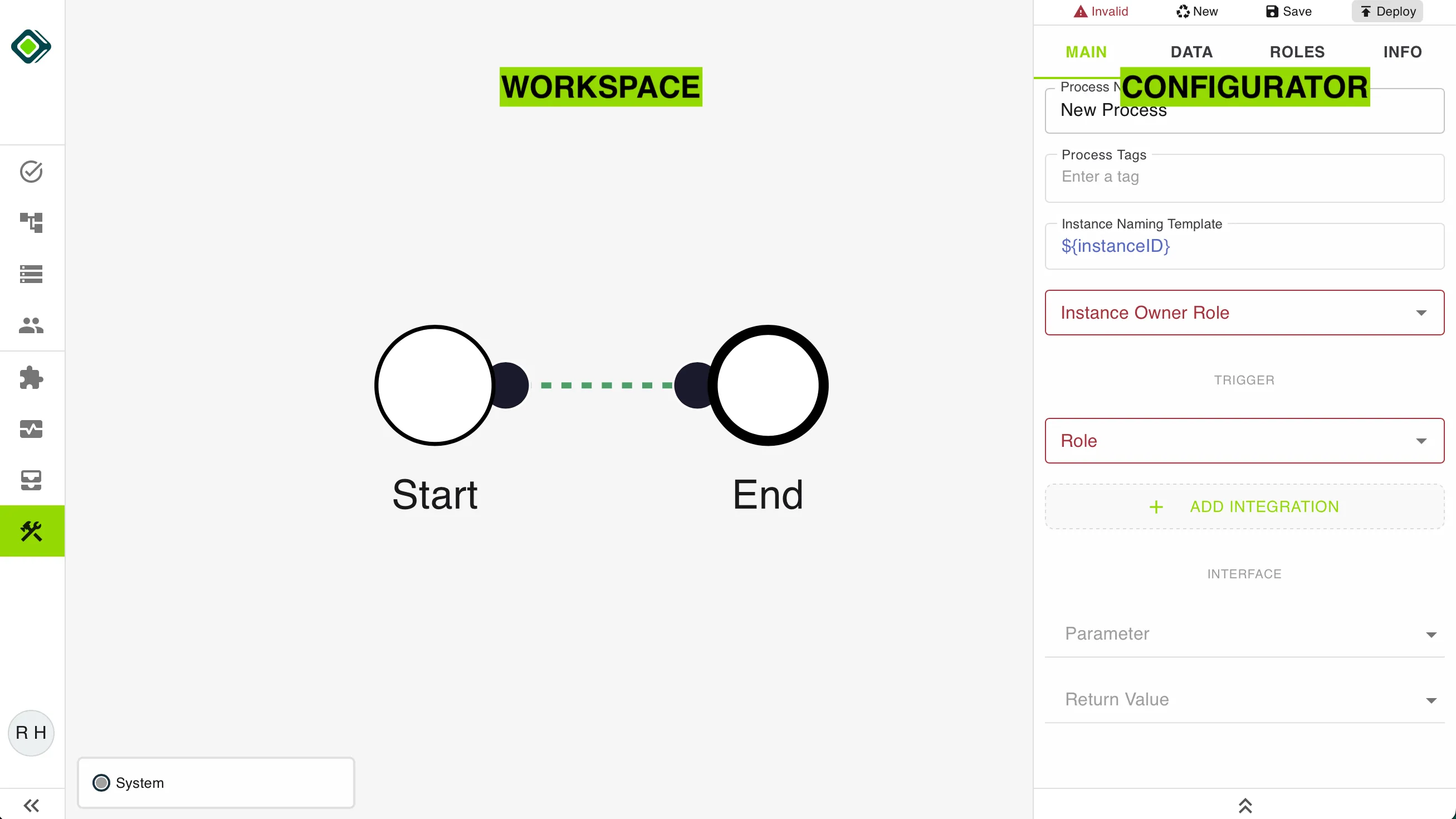
The builder is split into 2 sections: the workspace (left) and the configurator (right).
Workspace
The workspace is the canvas the process is drawn on. Dragging moves the canvas, Shift and drag selects several steps at once, and a right-click is where building starts.
Configurator
The configurator is where all properties, data structures, access, and status regarding the process in general as well as the specific settings for every step are maintained.
Note
The configurator can be collapsed by clicking the .d23c9e4b.webp) button located at the bottom.
button located at the bottom.
On the top of the configurator is the action bar.

Below the action bar, you will find the configuration tabs. .aa8edcd9.webp)
The selected tab is highlighted with green text and underscore. There are four tabs:
Last updated on