Tasks
Tasks are the human steps in a process. When a process reaches a step that needs a person - an approval, a piece of information, an acknowledgement - it creates a task and routes it to whoever should handle it. Your Task Inbox is where that work lands.
Everyone has Tasks; it’s the first thing you see when you sign in.
The inbox
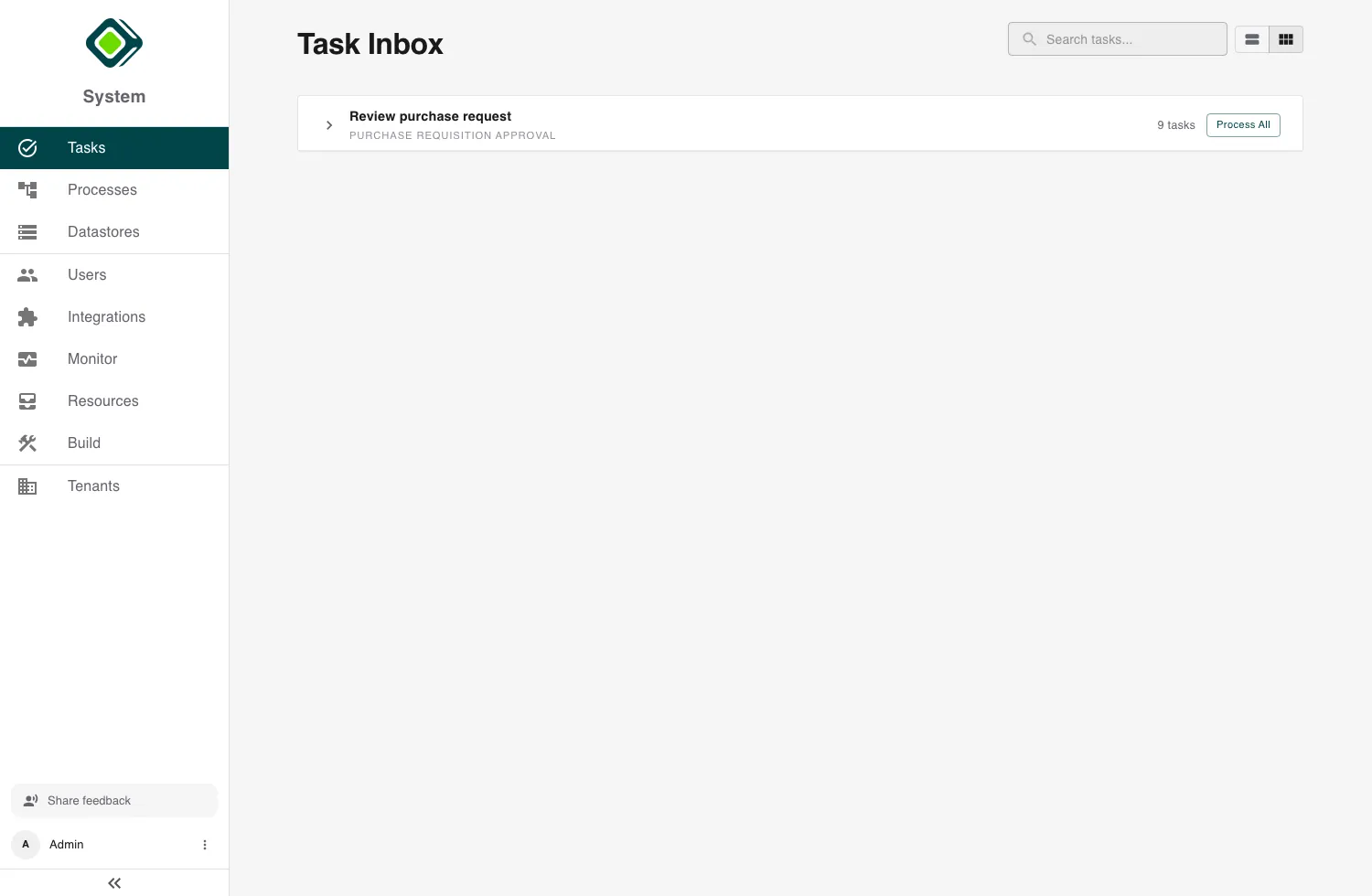
The Task Inbox lists every open task assigned to you.
- Search filters the list by task or process name.
- Each row shows the task and process, the instance it belongs to, and its age.
- Switch between the feed view (a flat list) and the group view (tasks grouped by type) with the toggle.
- A DRAFT badge marks a task you’ve started filling but not yet submitted.
When you have nothing to do, the inbox shows No open tasks found - tasks appear here as processes assign them. From the empty state you can Start a new process.
Doing a task
Open a task to work on it. The task title and description explain what’s being asked; fill in the form fields below.
The Context panel on the right shows the relevant data from the process instance - the information you need to make the call, searchable, without leaving the task.
Finish with the action button, which is labelled for what the task does:
- Start - begin a new process instance.
- Submit Task - complete this step and let the process continue.
- Abort - stop the instance here.
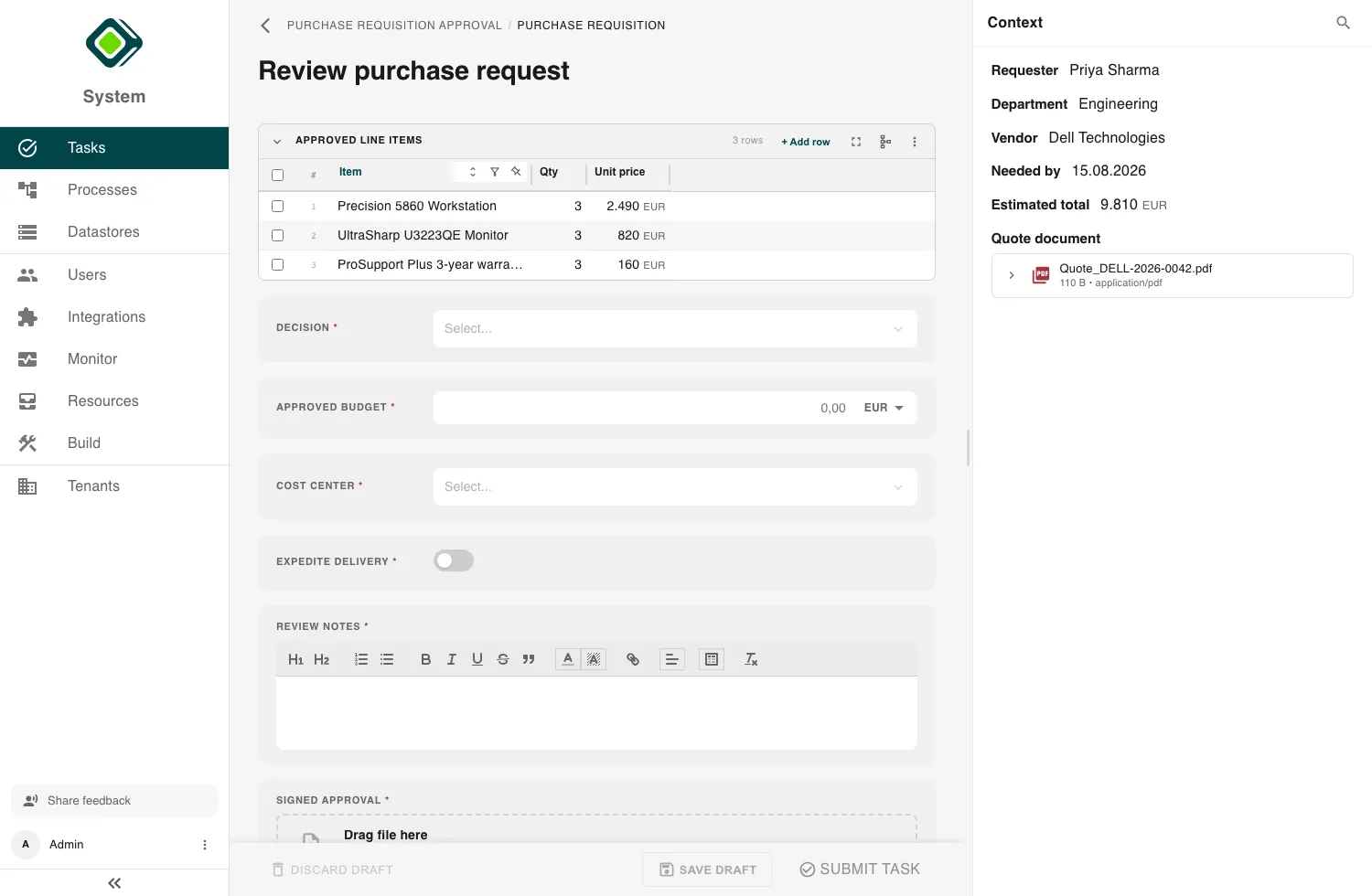
Not ready to submit? Save draft keeps your entries so you can come back later - the task keeps its DRAFT badge in the inbox. Discard draft clears them. If you navigate away with unsaved changes, metamorphOS asks before you lose them.
Processing many at once
When you have several tasks of the same type, the group view offers
Process All. This starts batch mode: metamorphOS walks you through each
task in turn, showing the same form each time and a progress indicator
({current} of {total}). Work through them, or Exit to stop. When you’re
done it confirms Batch Processing Complete and returns you to the inbox.
Batch mode is the fast path for repetitive approvals - same decision, many items.
When a task can’t be done
If the task can’t be carried out - the instruction contradicts itself, or something it depends on doesn’t exist - don’t submit a guess. Open About this task and report it with I can’t complete this task. The step fails with your reason attached and the process decides what happens next. See Task Exceptions.
Related
- Processes - where tasks come from, and where you start new ones.
- Submit Information, Review, Acknowledge - the actions that create tasks.
- Process Instance View - the instance a task belongs to.
- Task Exceptions - reporting a task that can’t be completed.