Account Settings
Settings is your personal control panel. Open it from the avatar menu at the bottom of the navigation (Settings).
Everyone can set their own preferences here; admins also find the workspace-wide branding controls.
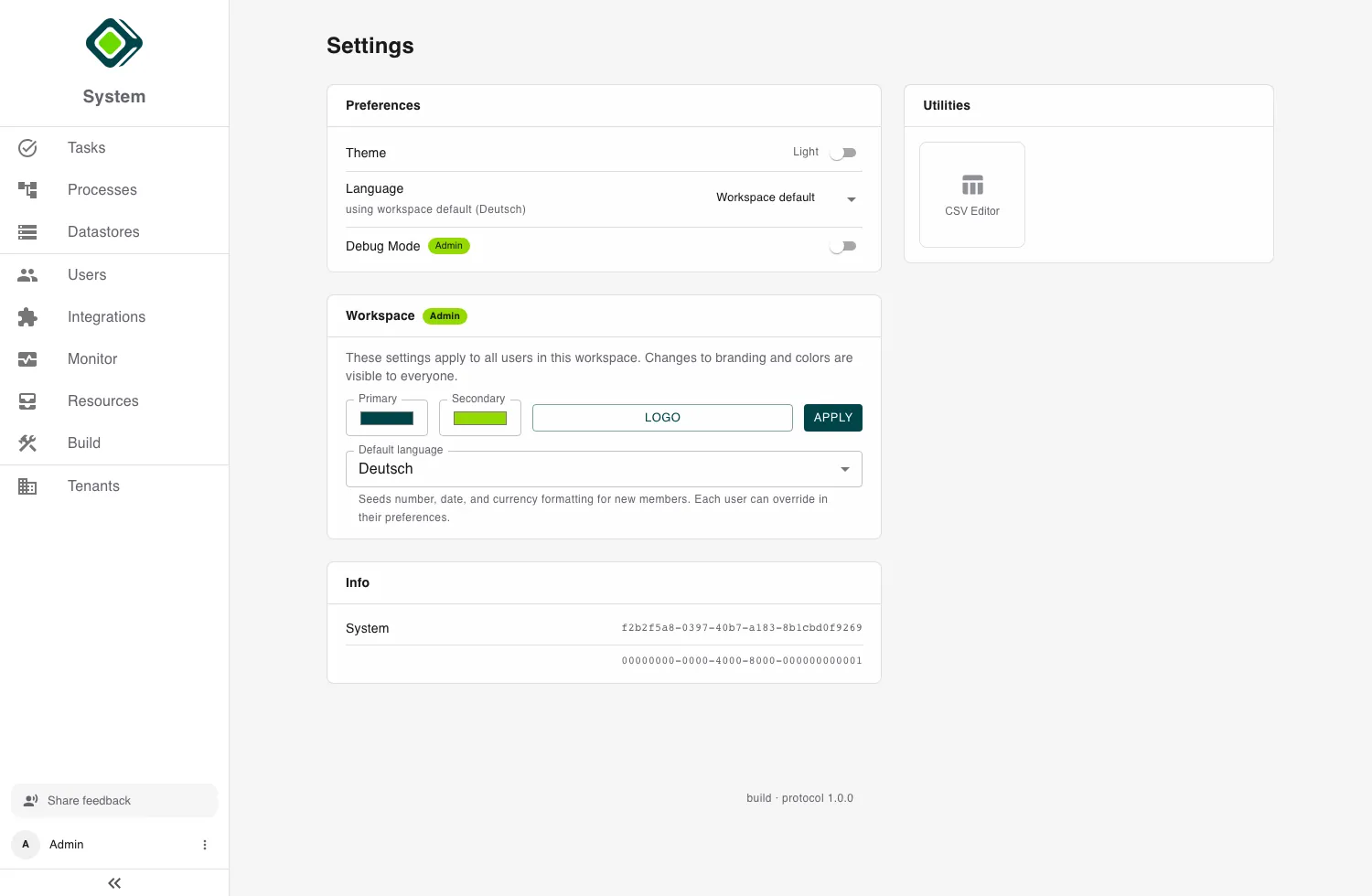
Preferences
Your personal settings, applied to your account only:
- Theme - switch between Light and Dark.
- Language - choose your locale, or leave it on the workspace default. This drives how numbers, dates, and currency are formatted for you.
- Debug Mode (admin) - extra diagnostic detail in the interface.
Workspace (admin)
Admins get a Workspace section whose settings apply to everyone in the workspace:
- Branding - the Primary and Secondary colors and the Logo (SVG, PNG, or JPG, under 2 MB).
- Default language - seeds the formatting defaults for new members; each person can still override it in their own preferences.
Info and utilities
The Info section shows your tenant and account names and IDs - handy when you need to reference them. The Utilities area includes a CSV Editor for quick data work, and What’s New previews recent changes. The footer shows the current build and protocol version.
Related
- The Admin Role - what the admin-only workspace settings require.
- Users - manage other people’s accounts and access.
Last updated on