Step 1: Process Configuration
The best way to start a new process is to set the initial configuration.
Set the following attributes in the Configurator.
- Process Name: Project Approval Request
- Instance Owner Role: Type in “Project Owner”
- Role: Select “Project Owner”
More info: Role Selection Drop Down
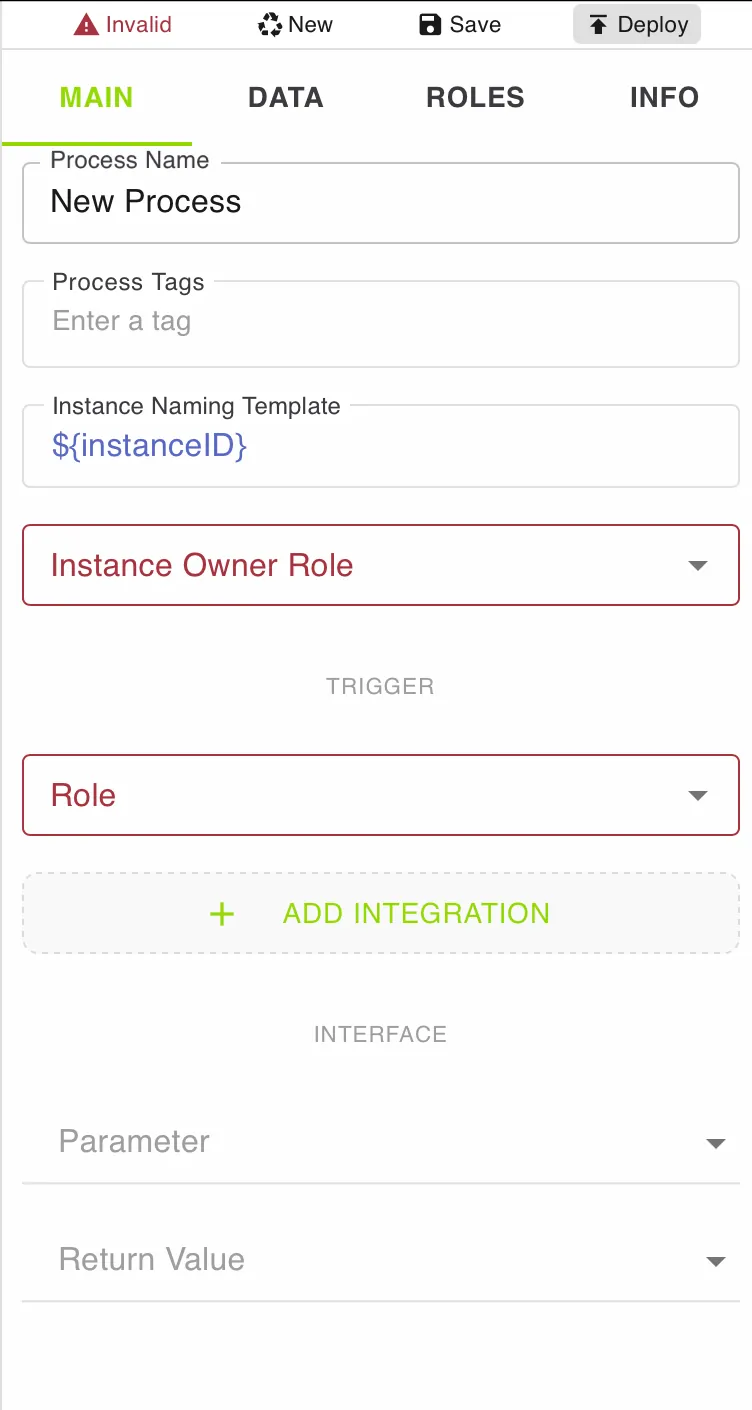
Now add the Parameters. These are the symbols (data items) we would ask for when the process is launched. We call this executed version of the process an instance.
Click the drop down button next to the Parameter. This will show any symbols which have already been created.
As we are working on a new process, let us add some new symbols.
.669e6abb.webp)
clicking Add new Value will open the Add new Parameter Dialog
.93067cf3.webp)
Leave Template and Value Empty. We will not need those for this example.
Descriptions are added to any user dialog with that symbol as a mouse over on an .ff9cb597.webp) icon
icon
.d8f4c25e.webp)
Let us create the following Parameters:
| Name | Type | Description |
|---|---|---|
| Project Name | Text | The Name of the Project |
| Project Description | Text | High Level Project Description |
| Value Hypothesis | Text | Why the project adds value to the company |
.3cc531de.webp)
Here you can find more information on Symbols, Variables & Constants