Processes
A process is an automated workflow - a sequence of steps, some automatic, some human. The Processes list is where you find the processes available to you, start new ones, and follow the instances already running.
Everyone sees Processes. Building and editing them is an admin task (see Build); this page is about running them.
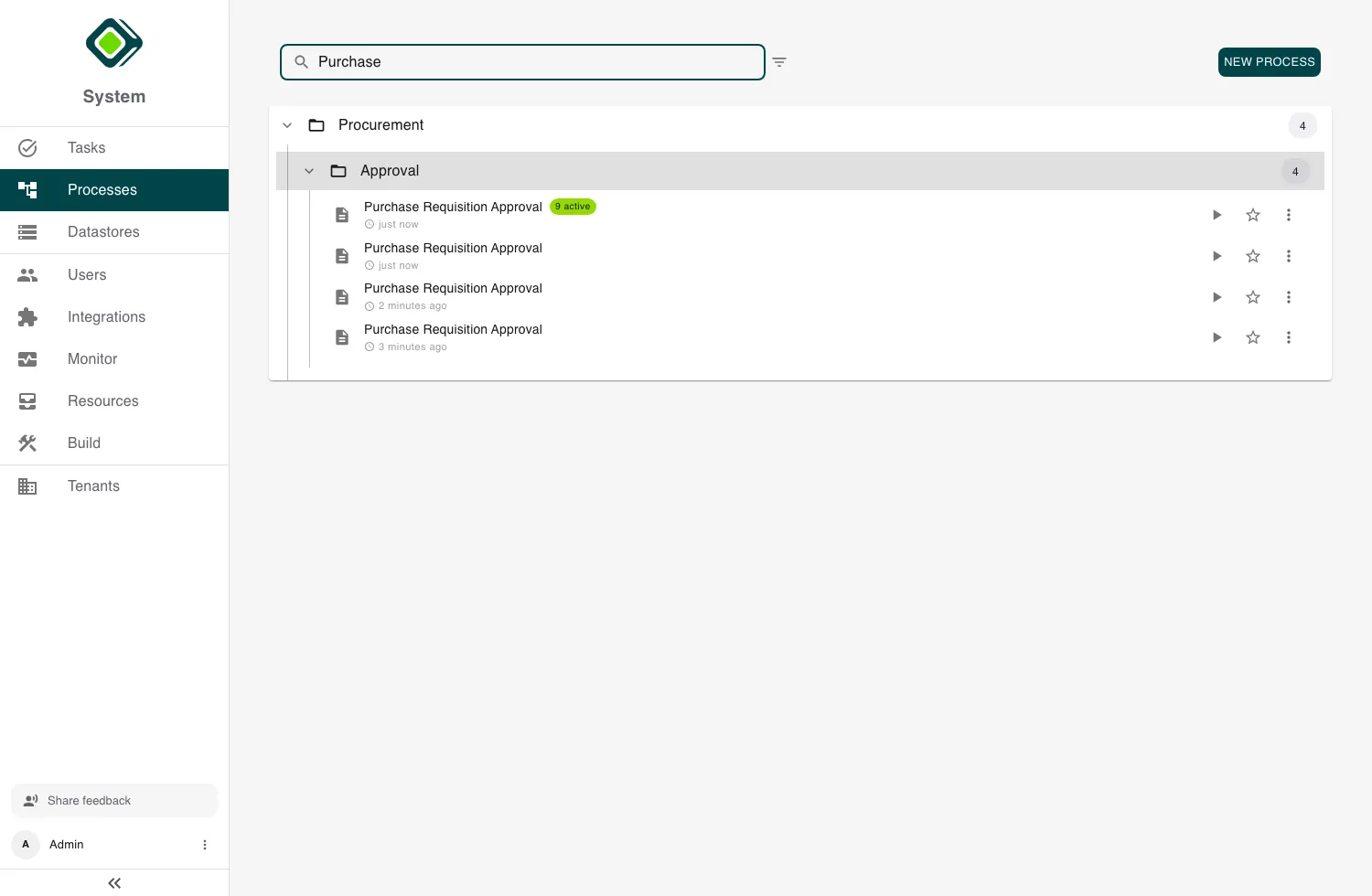
Finding a process
Processes are grouped into category folders - expand one to see its processes. Search filters by name across all of them. Each process row shows how recently it was active and - when instances are running - an active count. The filter panel adds Show Deactivated Processes, and you can star a process to keep it as a favorite.
Admins also see New Process, which opens the Builder.
Starting a process
Click the start (play) button on a process to launch a new instance.
- If the process needs no inputs, metamorphOS asks you to confirm (Instantiate Process) and starts it.
- If it needs inputs, you’re taken to a Start task to fill them in first - the same form experience as any other task.
Open a process (rather than starting it) to see its detail page: its owner, which processes it calls or is called by, and the list of its instances.
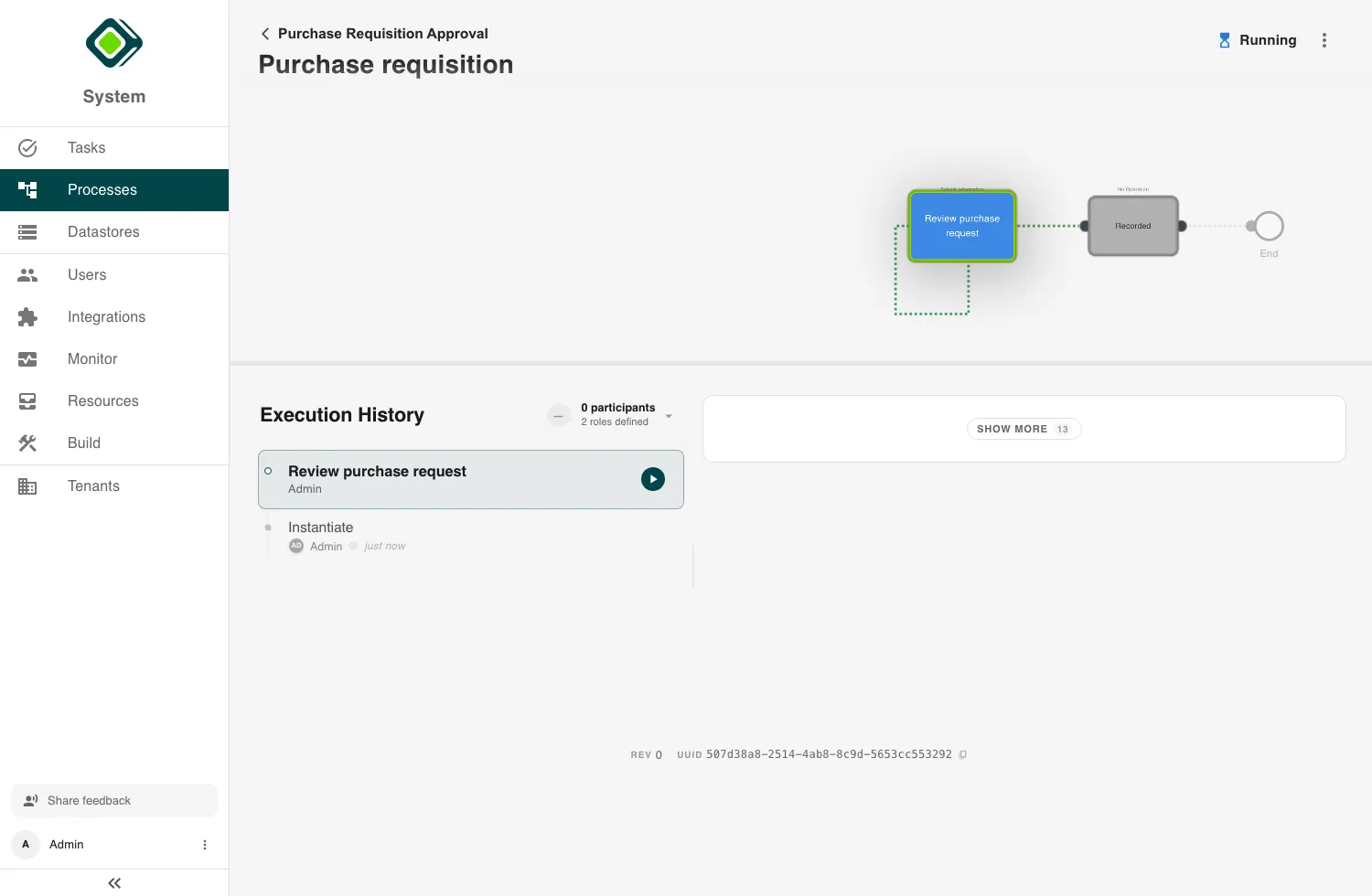
Following instances
A process’s detail page lists its instances - each run of the process. Filter them by status:
- All · Ongoing (still running) · Done (finished successfully) · Failed (ended in error) · Cancelled · Paused
You can also search by name or ID, filter by which step is active, and switch to a data grid view to inspect many instances at once. Each card shows the instance’s status, revision, age, and current step. Open one to see the Process Instance View.
A process is the definition; an instance is one run of it. Starting a process creates a new instance, which then moves through the steps on its own.
Related
- Process Instance View - open a single instance to see its progress, history, and data.
- Tasks - the human steps an instance routes to people.
- Monitor - the operational view across all instances (admins).
- Build - design and deploy the processes themselves.