Resources
Resources is where you manage your workspace’s building blocks as a whole. Its main job is packages: bundles of related resources - processes, datastores, authorities, groups, organizations, integrations, files - that move and deploy together.
Packages are how you carry a solution between workspaces (say, from a staging tenant to production) without rebuilding it by hand. Resources is an admin area.
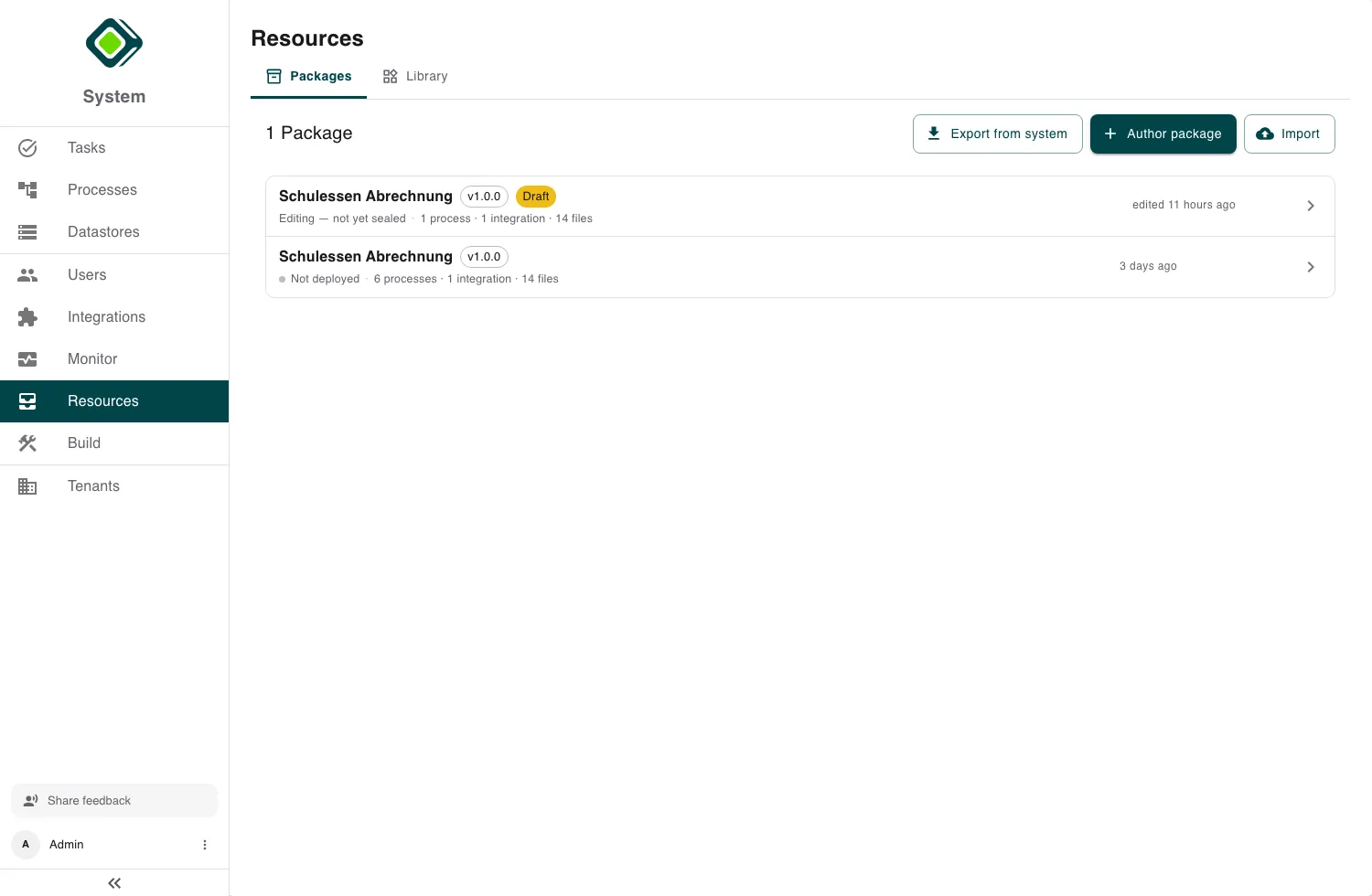
Packages
The Packages tab lists the packages in your workspace. From here you can:
- Export from system - select existing resources and bundle them into a new package.
- Author package - design new resources that deploy together as a package.
- Import - bring in a package from a file.
A package in progress shows a Draft chip (resume or discard it); a finished one shows whether it’s Deployed, Staged, or Not deployed.
Working with a package
Open a package to review and deploy it. Its detail page shows its deployment status and any drift (resources that changed since it was last deployed), with actions to Edit, Update to latest, and Deploy.
Three tabs organise it:
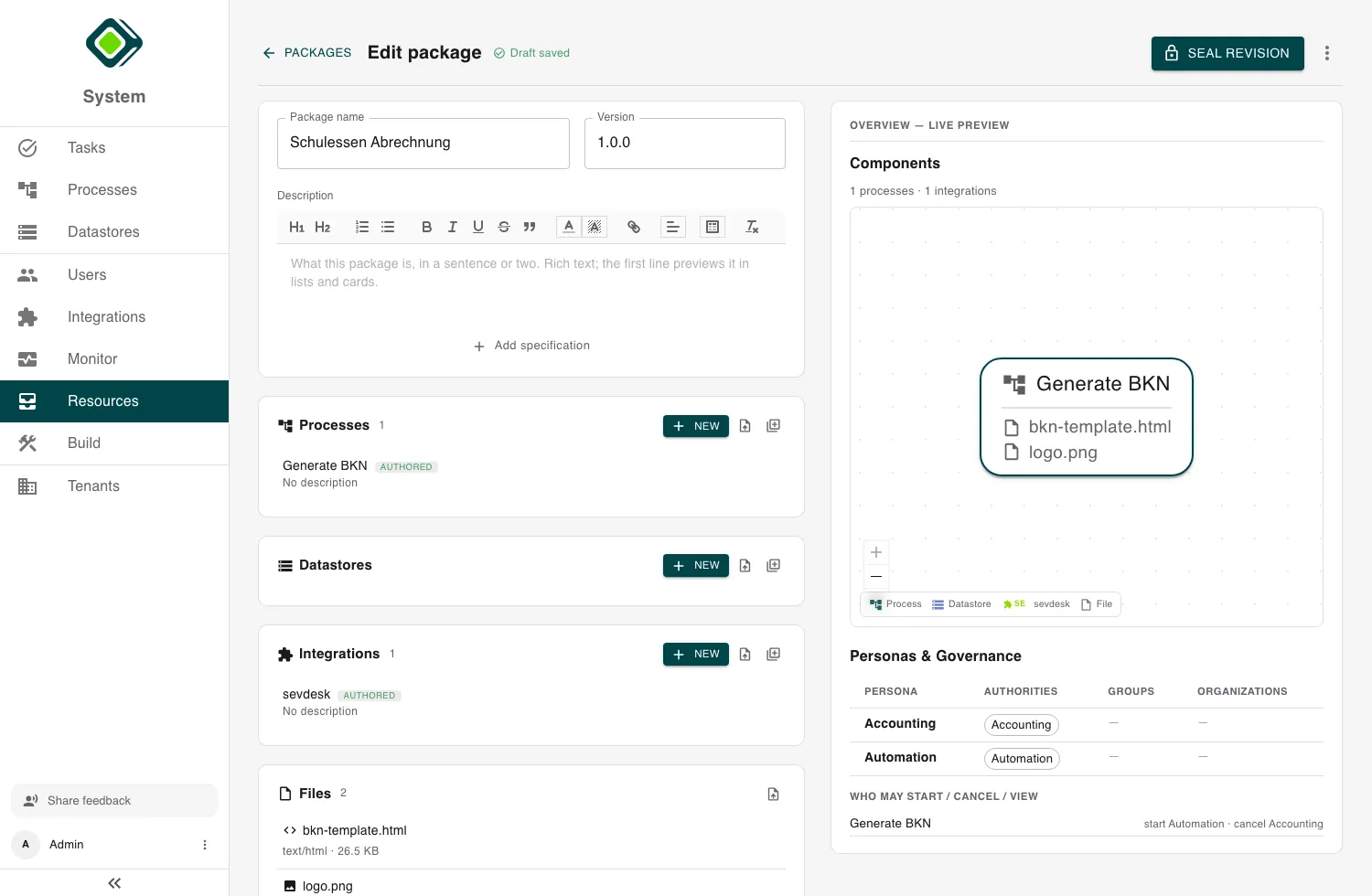
- Overview - a summary, plus its personas and governance.
- Resources - everything the package carries.
- Changelog - its history.
Deploying applies the package’s resources to the workspace; if you’d be overwriting newer live changes, metamorphOS warns you first.
Library
The Library tab is the catalogue of individual resources, grouped into Programs, Stores, and Overwrites - useful for browsing what exists across the workspace outside of a package.
Importing a program on its own (without a full package) is also available here - handy for moving a single process between workspaces.
Related
- Build - design the processes a package carries.
- Datastores - bundle datastores into a package.
- Integrations - connectors travel in packages too.