Process Instance View
An instance is one run of a process. Its detail view is where you see exactly what happened: where the run is on the process graph, which steps have executed, what data it’s carrying, and - if it failed - why.
Open it from a process’s instance list, from a task’s breadcrumb, or from Monitor.
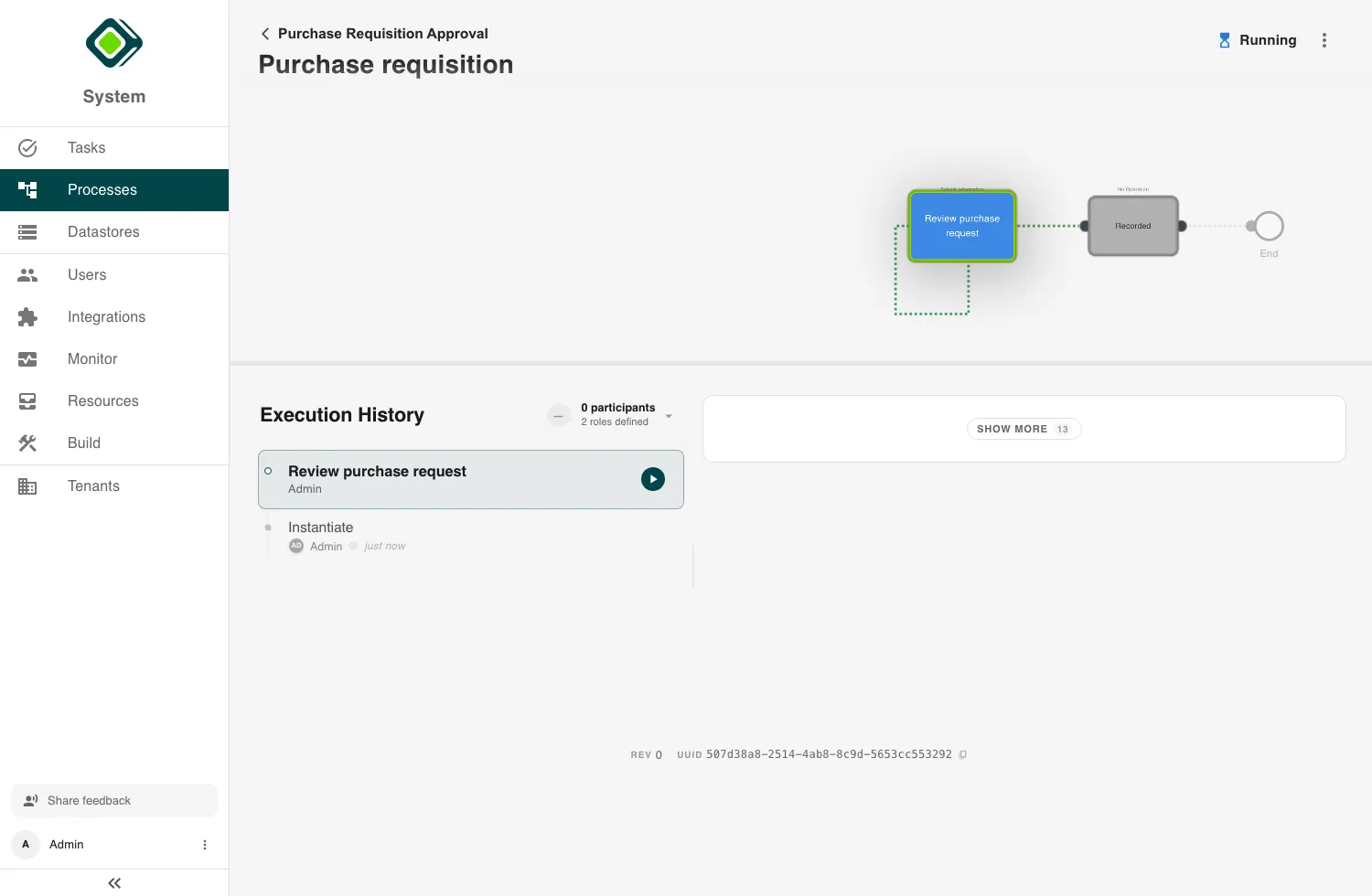
Reading the view
- The status chip at the top tells you the state at a glance -
Running,Success,Error,Cancelled, orPaused. - The process graph shows the instance’s path through the steps.
- Execution History lists the steps in order, including any active tasks - the audit trail of what ran and when.
- The context panel shows the instance’s data (its symbols). When you select a past transaction, it shows the data as it was at that point.
- Footer tags carry the revision and the instance ID (with a copy button).
When an instance fails
If the status is Error, a banner names the failed step and shows the error message. Use the Execution History to find the step that failed and the context panel to see the data it was working with - together they tell you what went wrong. Connector-related failures are covered in Integrations → Troubleshooting.
A task that was reported as not completable fails its step the same way: if the step has no error path, the instance ends here, and the message is the reason the person or agent gave.
Acting on an instance
From the instance menu you can:
- Cancel Instance - stop a running instance (when it has a cancellation path).
- Migrate to Rev N - move the instance onto a newer revision of the process, when one exists.
- Download Program - export the process definition this instance is running.
Selecting a step in the Execution History opens its details; from there an admin can Revert the instance to the state before that step. Both revert and migrate are explained in Reverting & Migrating Instances.
Related
- Processes - the list these instances come from.
- Tasks - the human steps that appear in the history.
- Monitor - instances and transactions across the whole tenant (admins).
- Reverting & Migrating Instances - take a run back to a step, or onto a newer revision.