Get Instance Data
Get Instance Data reads the data of one instance: its standard attributes and the global symbols of the process it runs.
You give it an Instance reference, and it returns Data - one object, like an entry read with Get Entry.
The reference usually comes from Find Instances.
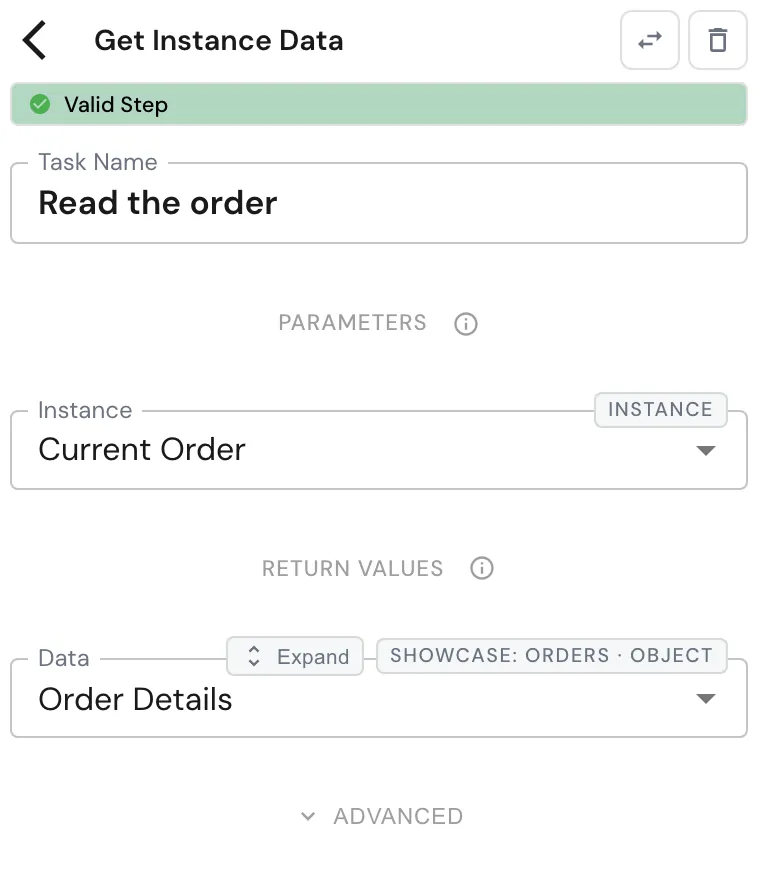
Configure this action in the Builder. See Builder Navigation and Workspace Basics for the surrounding UI.
Configuration
Set Instance to the instance symbol to read. Under RETURN VALUES, map Data to an object symbol. The step also exposes an Error Message.
Data holds:
| Field | What it is |
|---|---|
| ID | The instance’s identifier. |
| Name | The instance’s name. |
| Status | The instance’s current status. |
| Process | The process the instance runs. |
| Parent ID | The instance that launched it, if any. |
| Error Message | The instance’s error message, empty when there is none. |
| each global symbol | The value of each global symbol of the target process. |
Later steps address a field through the symbol you mapped Data to. With
Data in Order Details, the value picker offers Order Details.Amount
as a Number and Order Details.Customer as a Text: each field keeps its
own type.
The data type
When you map Data and the builder knows which process the instance belongs to, it creates a type named after that process under DATA → Types. The type lists the standard attributes and the target’s global symbols, and it is what gives Data its fields.
The builder refreshes this type to the target process’s current shape every time you open the step. It is derived, so don’t edit it by hand: your changes are overwritten the next time the step is opened. Your other types are never touched.
If the builder can’t tell which process the instance belongs to - the Instance symbol isn’t tied to a single process - Data offers the standard attributes only.
Runtime behavior
Get Instance Data runs automatically.
- It reads the global symbols as defined by the latest revision of the target process.
- A global symbol the instance has no value for yet comes back as the default value for its type.
- It fails with an error if no instance is given, or the instance (or its process) doesn’t exist. Connect an error path if a missing instance is a normal case.
Best practices
- Tie the Instance symbol to the process you read, so Data carries that process’s fields. The Instances list from Find Instances already is.
- Open the step after the target process changes, so the data type picks up new global symbols before you map them downstream.
- Read only what you need: a value that should stay private to a process belongs in a local symbol, which Get Instance Data never returns.
Use cases
- Reporting across instances: read each instance found by Find Instances and collect the results - see the high-priority order report.
- Routing on another instance’s state: read an instance’s Status or a business field, then branch on it with Conditional Branching.
Works well with
- Find Instances - get the references to read.
- Push to Array - collect the data of several instances.
- Conditional Branching - route on a field you read.