Await External Submission
Await External Submission pauses the process until the recipient of a guest task has submitted their form.
It is the second half of Create Guest Task. Create Guest Task issues the link and lets the process carry on; this step is where the process waits for the answer.
Configure this action in the Builder. See Builder Navigation and Workspace Basics for the surrounding UI.
Configuration
Guest Task Step
Set Guest Task Step to the Create Guest Task step whose answer you are waiting for. The list offers every Create Guest Task step in the process.
This field is required.
Once you pick a step, Recipient will provide lists the fields of its form with their types. If the guest task has no fields yet, add return values on the Create Guest Task step first.
Token
Token is optional. Map the Token returned by the Create Guest Task step to make the link between the two steps visible in the process. The step that is awaited is the one chosen in Guest Task Step.
Return Values
The step returns:
- the recipient’s answers, written to the variables that make up the guest task’s form. You don’t map these: they follow the form of the chosen Create Guest Task step, and change when its fields change.
- Guest Actor - the recipient, as a user, for example to record who submitted or to address them later.
Advanced and Delay
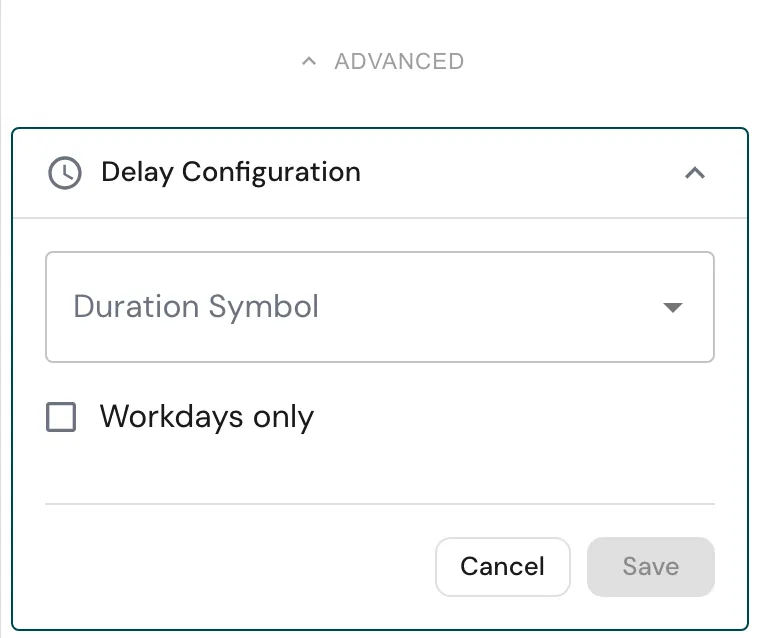
Open ADVANCED for the settings below.
Use Add Delay if the step should become active later.
Enable Workdays only if the delay should ignore weekends and non-working days.
Runtime behavior
Await External Submission runs automatically. It waits for the recipient, not for anyone in your workspace.
- If the recipient has not submitted yet, the process pauses at this step.
- When they submit, their answers are written to the form variables, Guest Actor is set, and the step finishes with the status
External submission received. - If the recipient submitted before the process reached this step, the step takes their answers straight away and does not pause.
If the chosen Create Guest Task step has not run in this instance, for example because it sits on a branch that was not taken, this step does not wait and returns no answers. Place it on a path that always passes through its Create Guest Task step.
There is no timeout. To stop waiting for a recipient who never answers, cancel the instance.
Best practices
Put the step that sends the link between Create Guest Task and this step, so the link is on its way before the process pauses.
Check the answers after this step, for example with Conditional Branching or a Review by someone in your team.
Give each Create Guest Task step a clear Task Name, so the right one is easy to pick in Guest Task Step.
Use cases
- Supplier onboarding: wait for the supplier’s details, then create their record with Create Entry.
- Customer sign-off: wait for the customer’s confirmation before an order is released.
- Several recipients: issue one guest task per recipient, and await each of them before moving on.
Works well with
- Create Guest Task, the step this one waits for.
- Review to have someone check what came back.
- Generate Document to turn the answers into a PDF.