Content Management System (Actions)
These actions are how a process reads and writes the entries in a Datastore. Use them to look up a record, create or update one, run a query, or remove entries, all as steps in a process.
Every action works against one datastore you choose, and adapts to that datastore’s fields, so the step’s inputs match the data you’re storing.
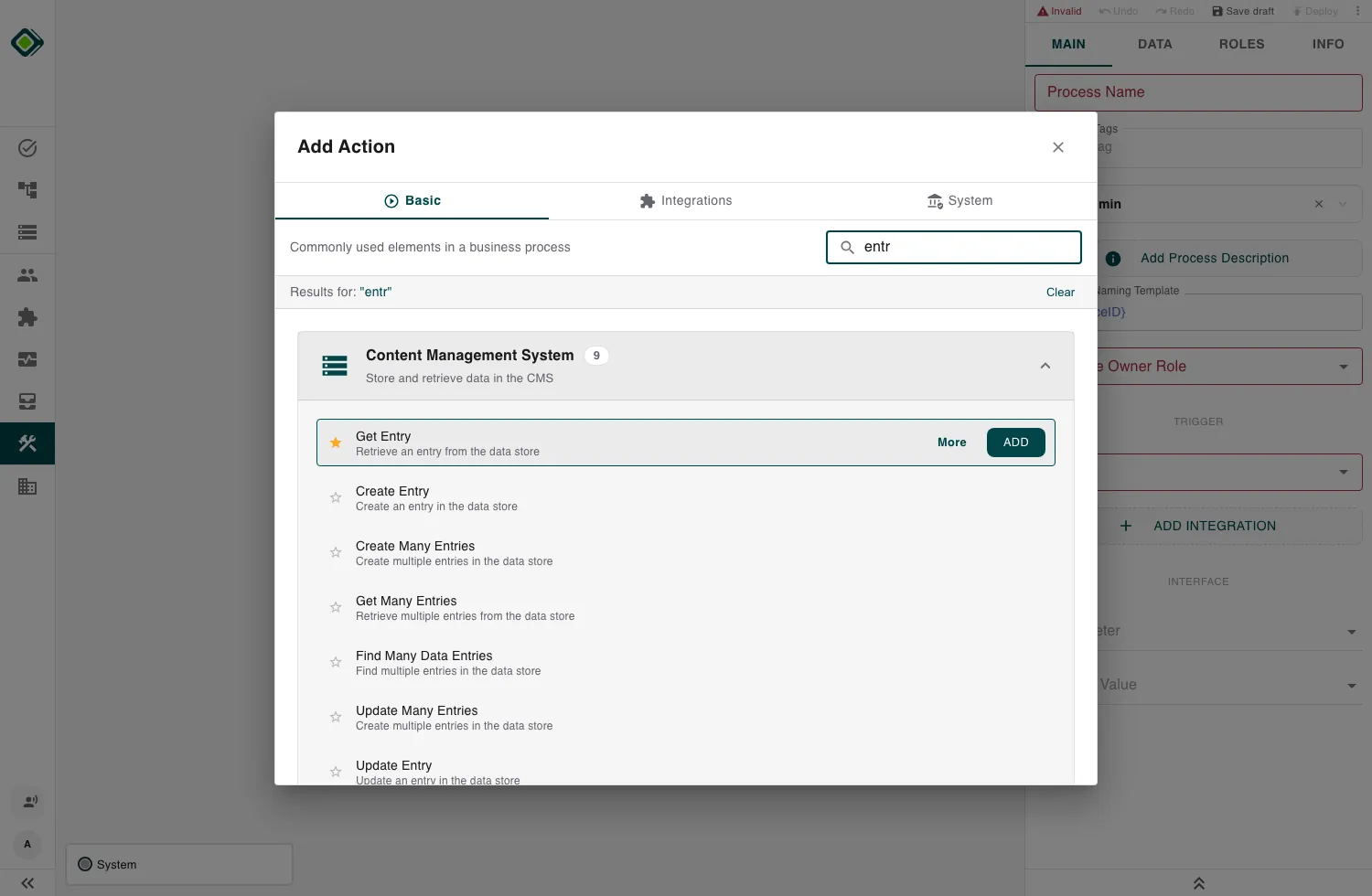
Configure these actions in the Builder. See Builder Navigation and Workspace Basics for the surrounding UI.
The actions
| Action | Reads or writes | What it does |
|---|---|---|
| Create Entry | writes | Add one new entry |
| Create Many Entries | writes | Add a batch of entries |
| Get Entry | reads | Fetch one entry by its id |
| Get Many Entries | reads | Fetch a list of entries by their ids |
| Find Many Data Entries | reads | Query entries by a filter on their fields |
| Update Entry | writes | Change one entry (creates it if new) |
| Update Many Entries | writes | Change a batch of entries |
| Delete Entry | writes | Remove one entry by its id |
| Delete Many Entries | writes | Remove a batch of entries by their ids |
How they’re configured
Every one of these steps starts the same way: pick the Data Store. Once you do, the rest of the step reshapes to that datastore’s fields:
- Create / Update show one input per field, so you fill the entry field by field.
- Get / Delete show an entry picker for the datastore’s identifier.
- Get Many / Delete Many take a list of identifiers.
- Find Many opens a condition builder over the datastore’s fields.
The identifier and Auto ID
Each entry is identified by the datastore’s unique identifier field. How you supply it depends on the datastore:
- Auto ID on - the platform assigns the id. Don’t supply one when creating; the id field is hidden from the entry editor.
- Auto ID off - you supply the id yourself when creating.
Update is an upsert. Update Entry changes the matching record, or creates it if no entry with that id exists yet (assigning an id when Auto ID is on).
Choosing the right read
Three actions read entries; the difference is how they select records:
- Get Entry - one record by a single id. Fails if that id doesn’t exist.
- Get Many Entries - several records by an explicit list of ids. Ids that don’t exist are simply left out; you get back the ones that do.
- Find Many Data Entries - records by a filter over field values (no ids needed). If nothing matches, you get an empty list, not an error.
Related
- Datastores - create the datastore and define its fields, identifier, and Auto ID.
- Conditional Branching - branch on what a read returned.
- Run Script - transform entries, or query a datastore in code.