Using Integrations in Processes
Once a connector is deployed and connected, its functions are available in the Builder like any other step. A process can call a connector (make an API call) and be started by a connector (an inbound webhook).
Calling a connector from a step
Open a process in the Builder and add an integration step:
- Right-click the canvas and choose Add Step.
- Pick Integration to open the integration panel.
- Select the connector, then the endpoint (API Call) you want.
- Click Add to drop it into the process.
The panel lists every deployed connector and the endpoints each exposes.
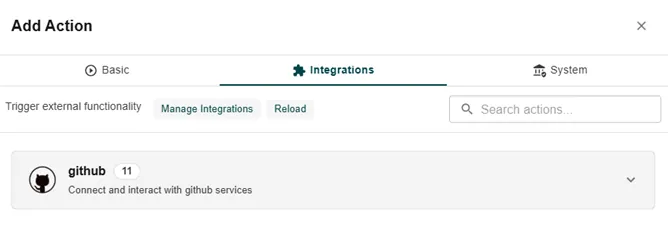
Wire the endpoint’s inputs to your process data the same way you configure any step’s parameters, and read the endpoint’s response fields in later steps. When the step runs, metamorphOS makes the call and the step succeeds or fails on the result - connect a failure path if the process must handle errors gracefully.
Choosing the account
An integration step shows a Credential selector - which account the call acts as:
- Use default - the call uses the connector’s default account. Leave it here and the step always follows whatever the default is.
- Pin an account - choose a specific account (say
staging) and this step always acts as it, regardless of the default.
Two steps in the same process can use different accounts of the same connector - for instance, read from production and write to a sandbox.
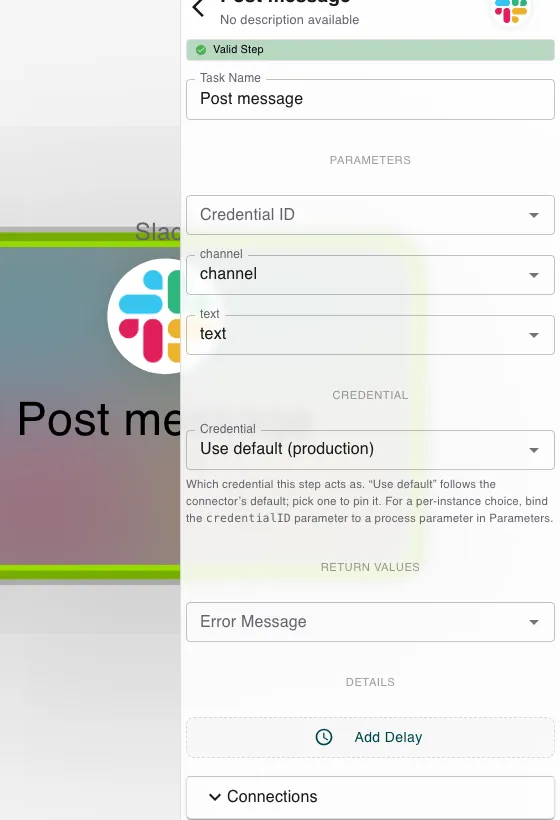
One process, many accounts. Bind the step’s credential to a process parameter instead of pinning it. Each started instance then chooses its own account - one process definition can serve every customer account on the connector. An instance that supplies no account falls back to the default.
If a step names an account that doesn’t exist (deleted, renamed, or a typo passed in at start), the step fails - it never silently falls back to the default. Acting as the wrong account would be worse than failing loudly.
Starting a process from a webhook
To start a process when a connector receives an event:
- In the Builder, click Add Integration (bottom-left).
- Choose Integration Trigger.
- Pick the connector’s webhook event.
- Add it to the process.
The process then starts automatically whenever a verified delivery for that event arrives. Set up the connector side - the webhook URL, signing secret, and any matching conditions - in Inbound Webhooks.
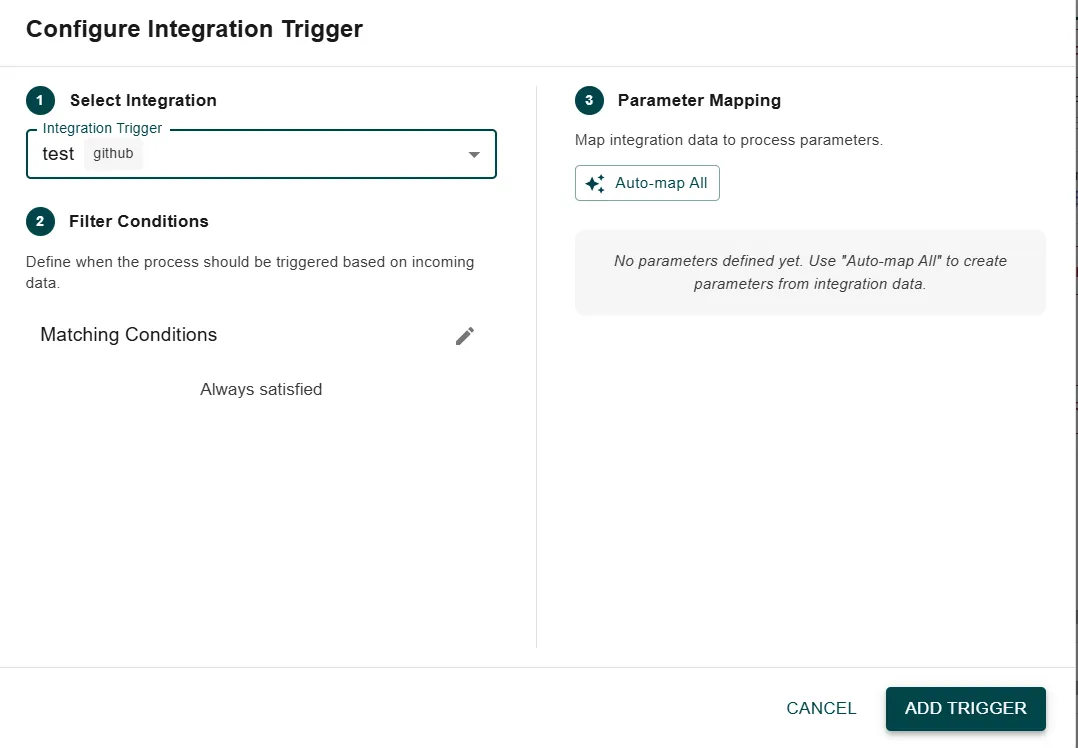
Set the webhook’s signing secret before you deploy the process that subscribes to it, or redeploy after changing it - see Inbound Webhooks.
Related
- Authentication & Credentials - accounts and the default the selector follows.
- Inbound Webhooks - configure the events that trigger a process.
- Building Custom Connectors - define the endpoints a step can call.
- Troubleshooting - when a call or trigger doesn’t behave.