Generate QR Code
Generate QR Code encodes a piece of text - often a URL - into a QR code image and hands it back as a file.
Use it to put a scannable link or code onto a generated document, a label, or an email.
Note
Configure this action in the Builder. See Builder Navigation and Workspace Basics for the surrounding UI.
Configuration
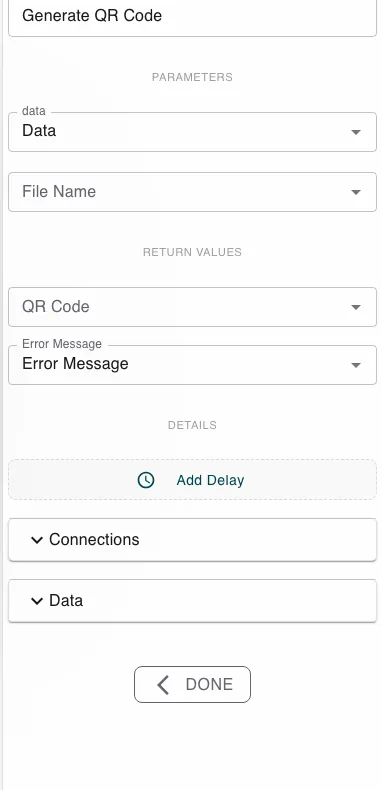
Set Data to the text to encode - a fixed string, or a process value such as a link that includes the instance id. Optionally set a File Name. The step returns the QR Code (an image file) and an Error Message.
Runtime behavior
Generate QR Code runs automatically and produces an image file in QR Code encoding the Data you supplied. If no File Name is given, the file is named after the instance.
Best practices
- Encode a link that carries context (for example an instance-specific URL) so a scan lands the user in the right place.
- Generate the code, then place it in a document with Generate Document.
Works well with
- Generate Document - embed the QR code in a rendered PDF.
- Run Script - build the link or payload to encode.
Last updated on