Generate Document
Generate Document turns a template into a finished PDF, filled with values from the process.
Use it to produce certificates, invoices, contracts, reports - any document that follows a fixed layout with data that changes per instance.
Note
Configure this action in the Builder. See Builder Navigation and Workspace Basics for the surrounding UI.
Configuration
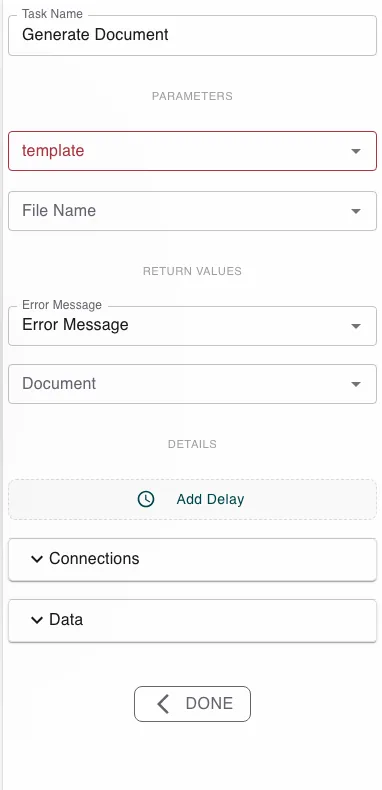
Set the template to the Document Template to render. The template decides the layout and references the process values it needs, so the data is pulled from the instance automatically at render time.
Optionally set a File Name for the output. The step returns the rendered Document (a PDF file) and an Error Message.
Runtime behavior
Generate Document runs automatically.
- It renders the template against the current process values and produces a PDF file in Document.
- If no File Name is given, the file is named after the instance.
- The step fails if the template can’t be rendered; read Error Message on the failure path.
Best practices
- Keep the layout in the Document Template and only the data in the process, so the same template serves every instance.
- Make sure every value the template references exists in the process before this step runs.
Works well with
- Document Templates - author the template this action renders.
- Submit Information - collect the data the document needs.
- Merge PDFs - combine the generated PDF with others.
Last updated on