Extract Text
Extract Text runs a pattern over a piece of text and returns the part that matches.
Use it to pull a specific value out of text you already have - an invoice number from a document body, an order id from an email, a code from a message.
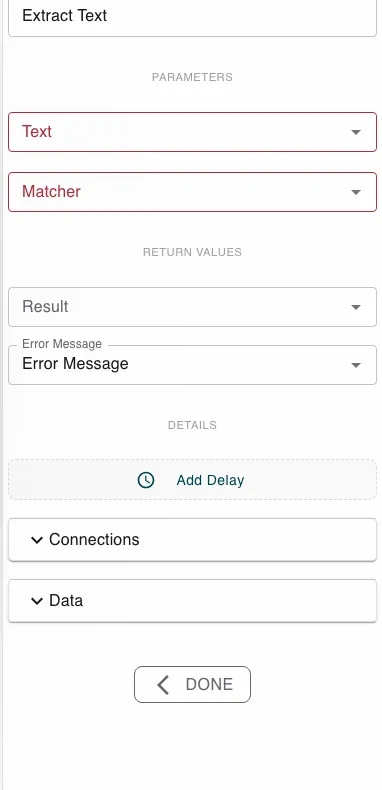
Configure this action in the Builder. See Builder Navigation and Workspace Basics for the surrounding UI.
Configuration
Set Text to the text to search (often the output of Perform OCR, or any text value from the process). Set Matcher to the pattern to look for - a regular expression. The step returns the matched Result and an Error Message.
If the pattern captures a group, the step returns that group; otherwise it returns the whole match.
Runtime behavior
Extract Text runs automatically and applies the Matcher to the Text.
- On a match, Result holds the matched value.
- If nothing matches, the step fails with the error
No match found- connect a failure path for that case.
Extract Text works on text, not files. To get text out of an image or scan first, use Perform OCR.
Best practices
- Test the pattern against real sample text so it captures exactly the part you want.
- Handle the no-match path deliberately rather than assuming a value is always present.
Works well with
- Perform OCR - produce the text to search.
- Conditional Branching - branch on whether a value was found.
- Run Script - for parsing too complex for a single pattern.