Roles (Configuration Tab)
The Roles tab is where you decide who can act as each role in a process.
A process defines a set of actors - the participant roles its steps are carried out by, such as a requester and an approver. The Roles tab is where you bind those roles to real people and parts of your organization, so the right person picks up the right step.
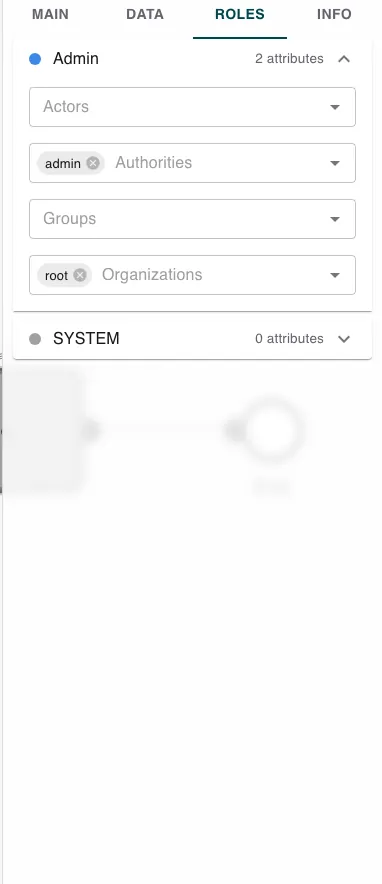
The Main, Data, Roles, and Info tabs configure the process as a whole. They are shown when no step is selected - click a step on the canvas and the panel switches to that step’s settings instead. See Builder Navigation.
Assigning an actor
The tab lists each actor as a row, with a colored dot that matches how that actor is shown on the canvas and a count of how many assignments it has. Expand a row to set who may act as it, using four fields:
- Actors - assign individual users.
- Authorities - assign everyone who holds a given authority.
- Groups - assign the members of a group.
- Organizations - assign everyone in an organization.
You can combine these - for example, name one specific user and also allow anyone with an approval authority. Anyone who matches any of the assignments can act as that role.
The actors themselves come from the process’s roles, which you create on the Main tab. The Roles tab is where you populate each one.
Related
- Main (Configuration Tab) - create the roles that appear here.
- Users - the people, groups, and authorities you assign.
- Info (Configuration Tab) - validates that every role is assigned before you deploy.