Merge PDFs
Merge PDFs combines several PDF files into a single document, in the order you provide them.
Use it to assemble a cover page, a generated certificate, and supporting documents into one file to send or store.
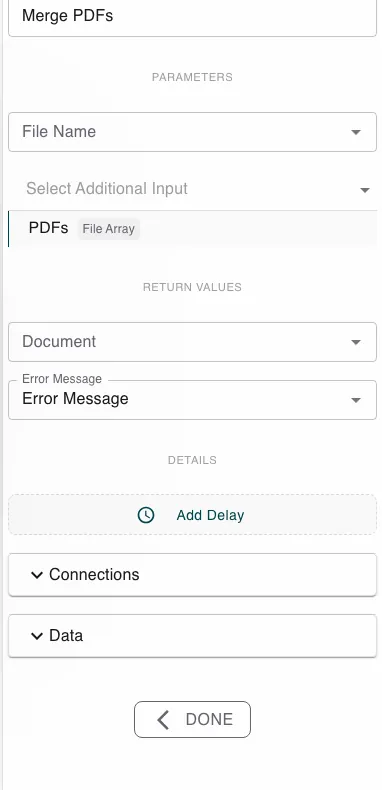
Configure this action in the Builder. See Builder Navigation and Workspace Basics for the surrounding UI.
Configuration
Give the step the PDF files to combine - one or more file values, or an array of files. Optionally set a File Name. The step returns the merged Document and an Error Message.
Runtime behavior
Merge PDFs runs automatically and concatenates the pages of the supplied PDFs, in the order they’re provided, into one new PDF in Document.
Only PDF files are merged. Any non-PDF input is silently skipped rather than failing the step - so a wrong file type can drop out of the result without an error. Make sure the inputs are actually PDFs.
Best practices
- Order the inputs deliberately - the pages appear in input order.
- Combine with Generate Document: render each part as a PDF, then merge.
Works well with
- Generate Document - produce the PDFs to combine.
- Loop over Array - gather a set of PDFs into the array to merge.