Update Many Entries
Update Many Entries writes a batch of changes to a Datastore in a single step.
Each entry in the batch is upserted - updated if it exists, created if it doesn’t - and the entries come back with their ids.
Note
Configure this action in the Builder. See Builder Navigation and Workspace Basics for the surrounding UI.
Configuration
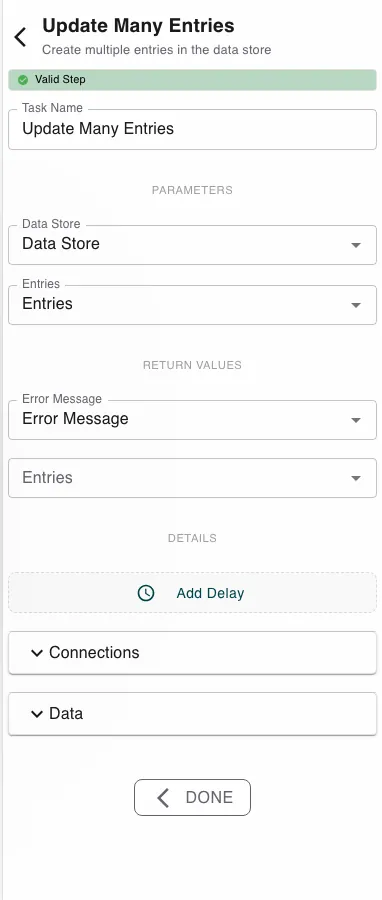
Pick the Data Store, then map an array of entries into Entries. Each element is shaped like the datastore’s fields and carries the identifier of the record to write. The step returns the written Entries (with ids) and an Error Message.
Runtime behavior
Update Many Entries writes the whole batch at once.
- Each entry is upserted: updated when its id exists, created when it doesn’t (with an assigned id under Auto ID).
- The batch is all-or-nothing - if Auto ID is off and an entry has no id, the step fails and nothing is written. There is no partial success.
- Fields outside the schema are ignored; it also fails if no datastore is set or the datastore doesn’t exist.
Best practices
- Pair it with Find Many Data Entries: query the records, change them in process data, then write the batch back.
- For a single record, use Update Entry.
Works well with
- Find Many Data Entries - select the records to update.
- Loop over Array - build the updated batch.
- Datastores - the datastore and its Auto ID setting.
Last updated on