Perform OCR
Perform OCR reads an image or a scanned PDF and returns the text it recognises.
Use it when a document has no machine-readable text - a photo, a scan, a faxed form - and you need the words out of it.
Note
Configure this action in the Builder. See Builder Navigation and Workspace Basics for the surrounding UI.
Configuration
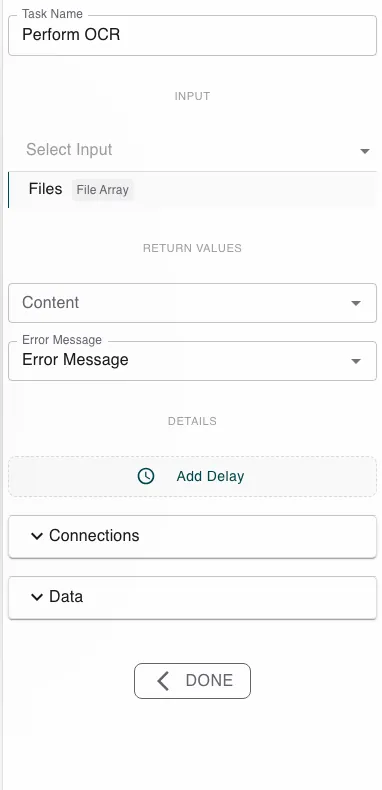
Give the step the image or PDF file (or files) to read. It returns the recognised text in Content, plus an Error Message.
Runtime behavior
Perform OCR runs automatically. It recognises the text in each supplied file - images directly, PDFs page by page - and returns the combined text in Content.
Tip
OCR quality follows input quality. Clear, high-resolution, upright scans recognise far better than low-resolution or skewed ones.
Best practices
- Pair it with Extract Text: OCR turns the file into text, then a pattern pulls out the value you actually need.
- This is the only action that gets text out of an image or scan - Extract Text does not read files.
Works well with
- Extract Text - pull a specific value out of the recognised text.
- Run Script - clean up or parse the OCR output.
- Create Entry - store what you read into a datastore.
Last updated on