Reset Variables
Reset Variables sets the variables you map as its outputs back to their default value.
Each variable returns to the default for its type: text becomes empty, a number
becomes 0, a true/false becomes false, and an array becomes empty.
Use it to start fresh - clear a running total before a new pass, empty an array before you reuse it, or wipe leftover values so a later step starts from a known state.
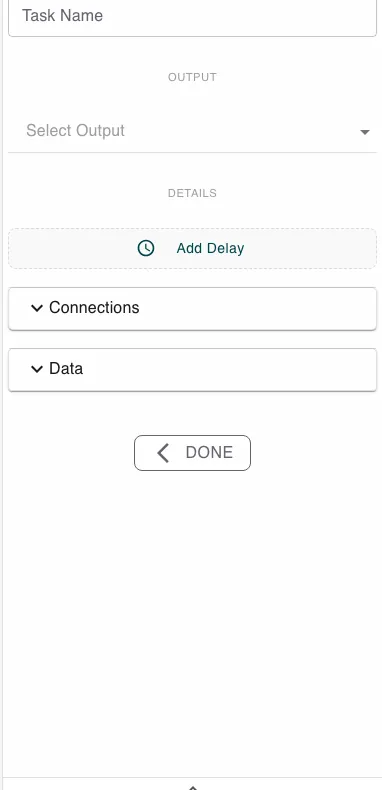
Configure this action in the Builder. See Builder Navigation and Workspace Basics for the surrounding UI.
Configuration
There are no parameters to fill in. Instead, map the variables you want to clear as the step’s outputs, through the Data section.
Every variable you map as an output is reset. Variables you do not map are left untouched.
Runtime behavior
Reset Variables runs automatically. It does not wait for user input.
For each variable you mapped as an output, the engine writes the default value for that variable’s type:
| Variable type | Reset to |
|---|---|
| Text | empty |
| Number | 0 |
| True/false | false |
| Array | empty |
Reset Variables has no logical branch of its own - its normal outcome is success.
Best practices
Reset an array or a counter at the start of a loop so each run begins from empty rather than carrying values over from the last pass.
Map only the variables you actually want to clear - this step touches exactly the outputs you wire to it and nothing else.
Use cases
- Clearing an array before reuse: Empty a results array before a second Loop over Array pass.
- Resetting a running total: Set a counter back to
0before you start adding to it again. - Starting from a known state: Wipe leftover values so a later branch does not read stale data.
Works well with
- Push to Array to refill an array after clearing it.
- Loop over Array to reset accumulators between passes.