Get Entry
Get Entry reads one record from a Datastore by its identifier.
The entry’s fields become available to later steps, so you can branch on them, show them in a task, or write them elsewhere.
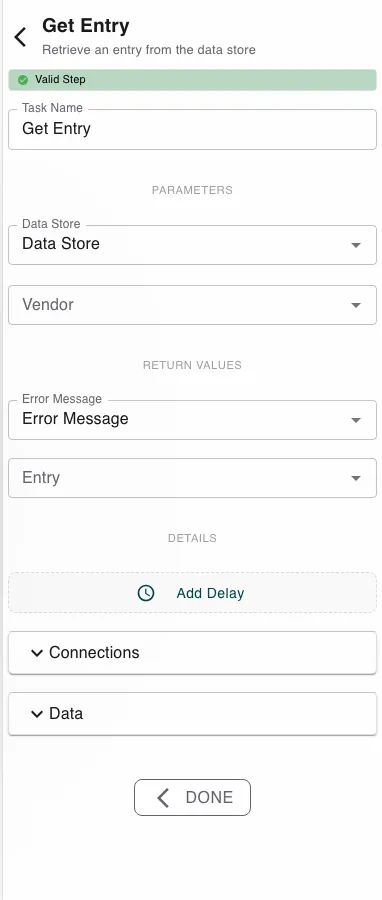
Configure this action in the Builder. See Builder Navigation and Workspace Basics for the surrounding UI.
Configuration
Pick the Data Store, then choose which record with the entry picker - labelled with the datastore’s identifier field. You can bind it to a process value (the id computed earlier) or pick an entry directly from the store.
The step returns the matched Entry (its fields) plus an Error Message.
Runtime behavior
Get Entry runs automatically and reads one record.
- It returns the entry whose identifier matches.
- It fails if the id isn’t found in the datastore (or the datastore doesn’t exist). Connect a failure path if a missing record is a normal case.
Need to tolerate a missing record instead of failing? Use Find Many Data Entries with a filter - it returns an empty list rather than an error when nothing matches.
Best practices
- Use Get Entry when you already know the exact id; use Find Many when you’re searching by field values.
- Handle the not-found path deliberately - don’t assume the record exists.
Works well with
- Conditional Branching - route on a field of the entry you read.
- Update Entry - read, then write changes back.
- Datastores - where the entry and its identifier are defined.